Review before you publish
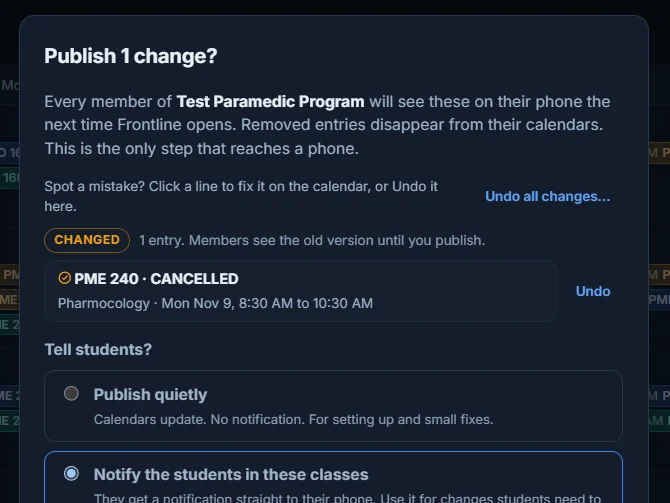
Drafts never reach anyone. Publish shows every change since the last time, and each one can be undone before it goes out.

Publish your program’s schedule and materials straight to every student’s phone or tablet, right next to their shifts. Everything tracked automatically. One source of truth for departments, academies and training programs.
Animation: a director moves the Airway Lab to a new room in the portal and publishes. A notice lands on a student’s phone, the student taps Acknowledge, and the portal shows 18 of 24 students have acknowledged.
Sound familiar?
Today
Medic class group text 24 people
And you still do not know who saw the change.
With Frontline Agencies

1 entry changed Airway Lab moved to Rm 112
On all 24 phones The moment you publish.
Beside their shifts No second schedule to cross-check.
18 acknowledged, 6 to go You know who has seen it.
Watch the tour
Start with the 90-second overview, or jump to the part you run: setting up, publishing, staffing, changes, or how your students join.
Already using it? Watch the 50 short how-to videos, one task each.
How it works
No more “which PDF is current.” You run the schedule from the portal at portal.frontlinecalendar.com, and your people see it in the app they already check before every shift.
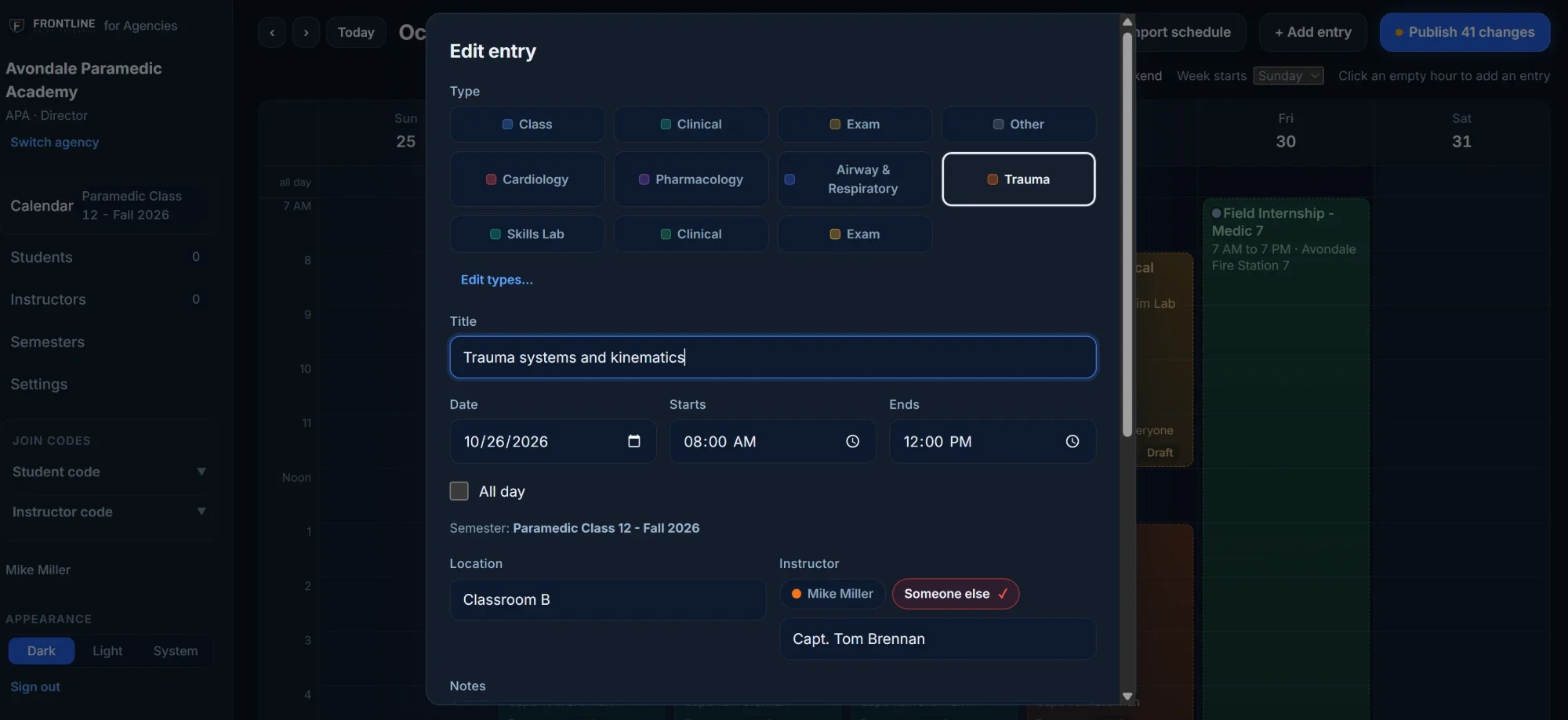
Sign in to the portal and build the schedule, or import the PDF, Word file or spreadsheet you already have. Review it, fix anything, and nothing goes out until you say so.
See exactly what changed since the last publish, undo anything that looks wrong, then send it - quietly, or with a notice to the students in those classes. One publish reaches every member.
Your entries show up in Frontline right next to their own shifts, with a notice when you choose to send one. Members join with a code.
On their phones
Students get their classes. Instructors get their classes, attendance and hours. Evaluators get asked and answer in a tap. All of it beside their own shifts.
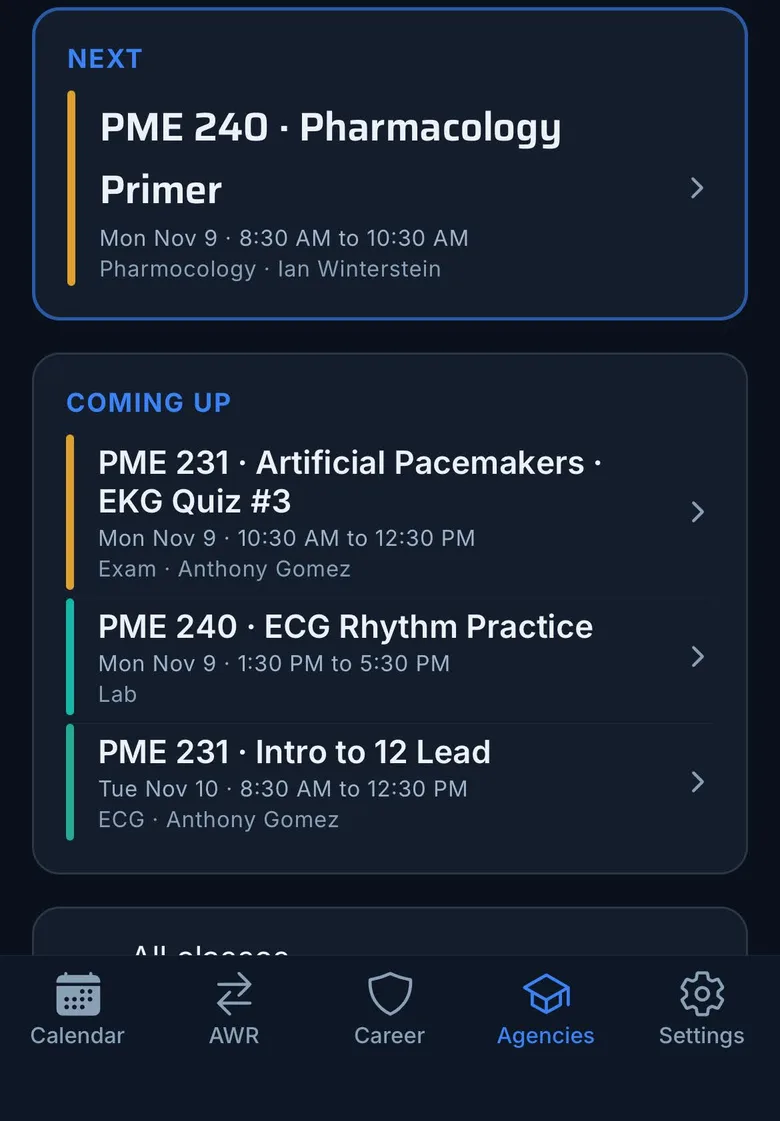
01 / 07 Students
The next class, what is coming up, and every class with its files. No PDF to find.
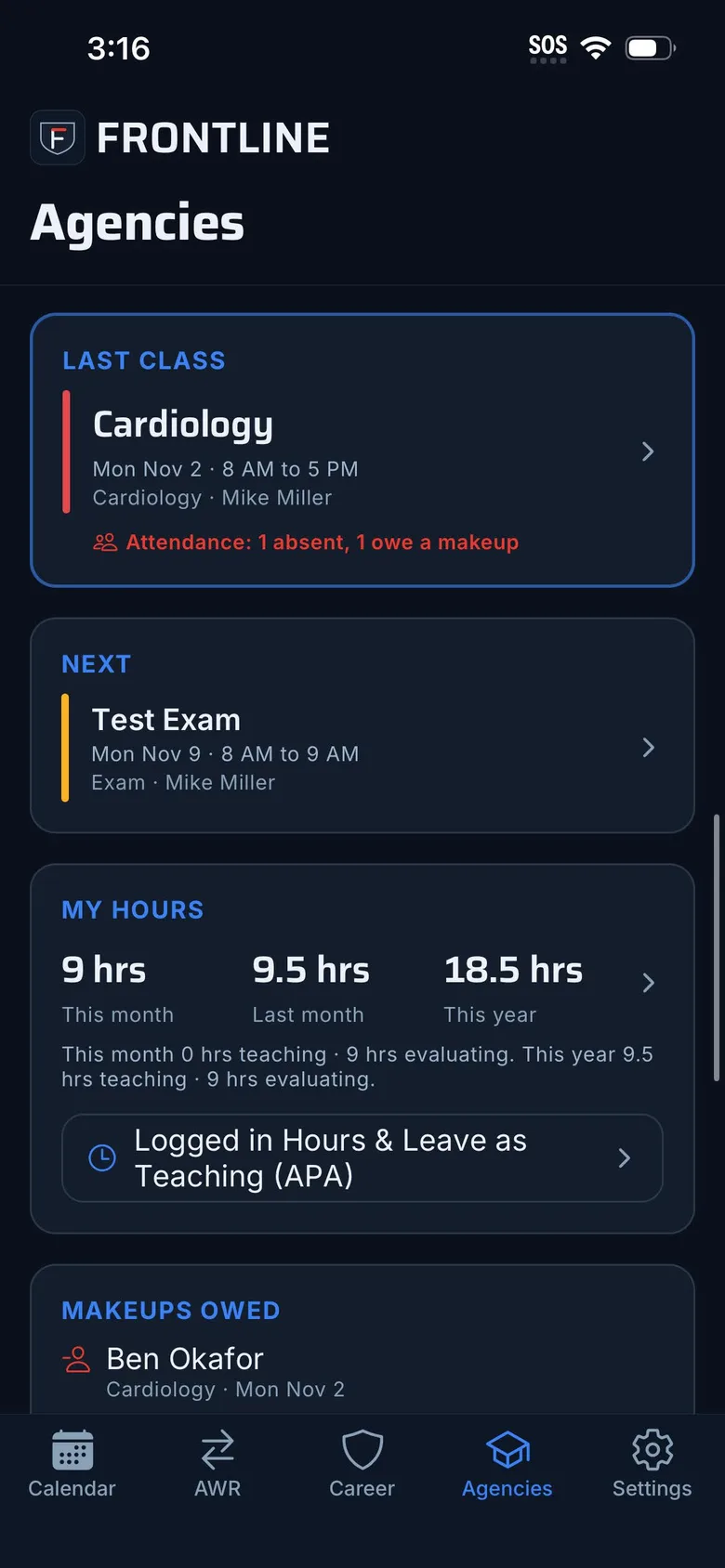
02 / 07 Instructors
Last class with attendance, what is next, hours taught and evaluated this month and this year, and the makeups still owed.
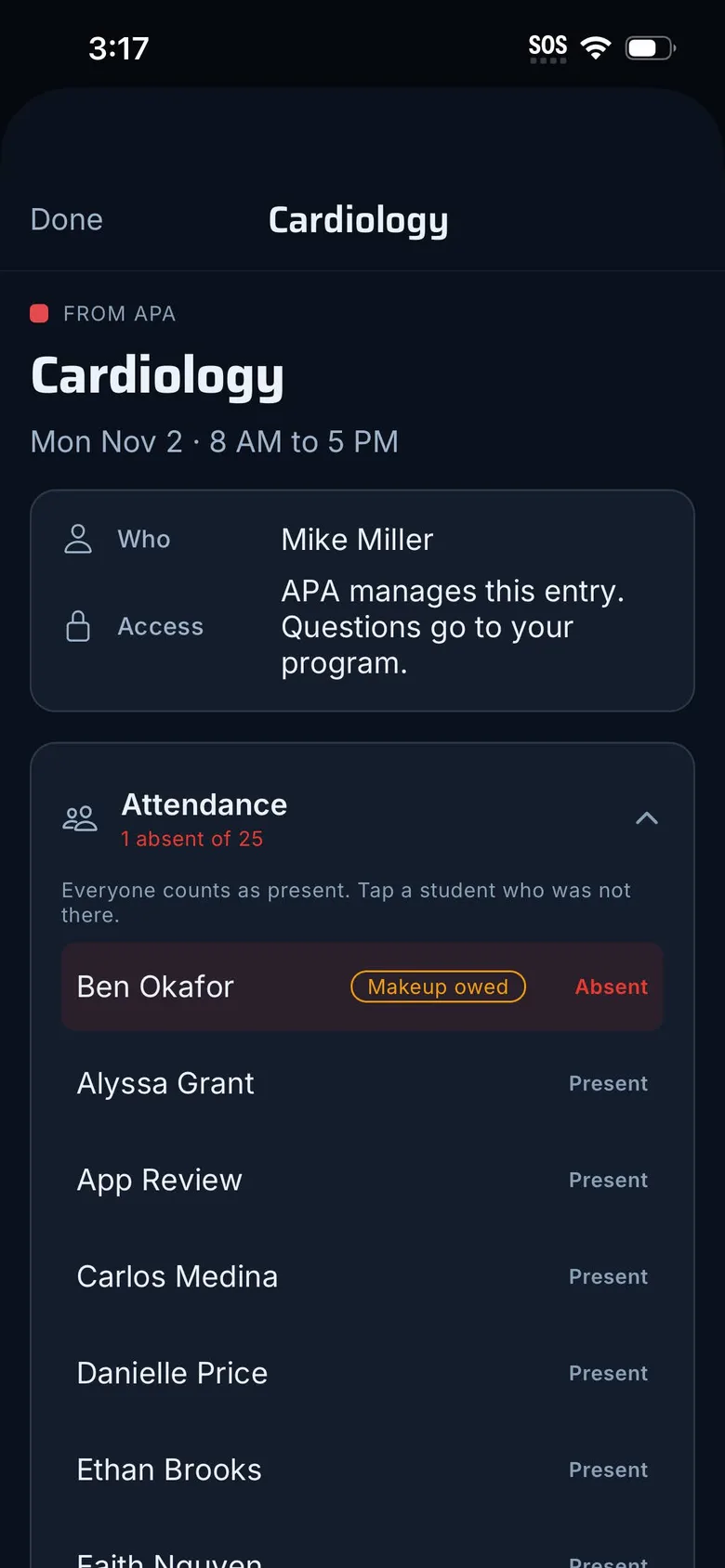
03 / 07 Attendance
Everyone counts as present. Tap the student who was not there and the makeup owed is recorded.
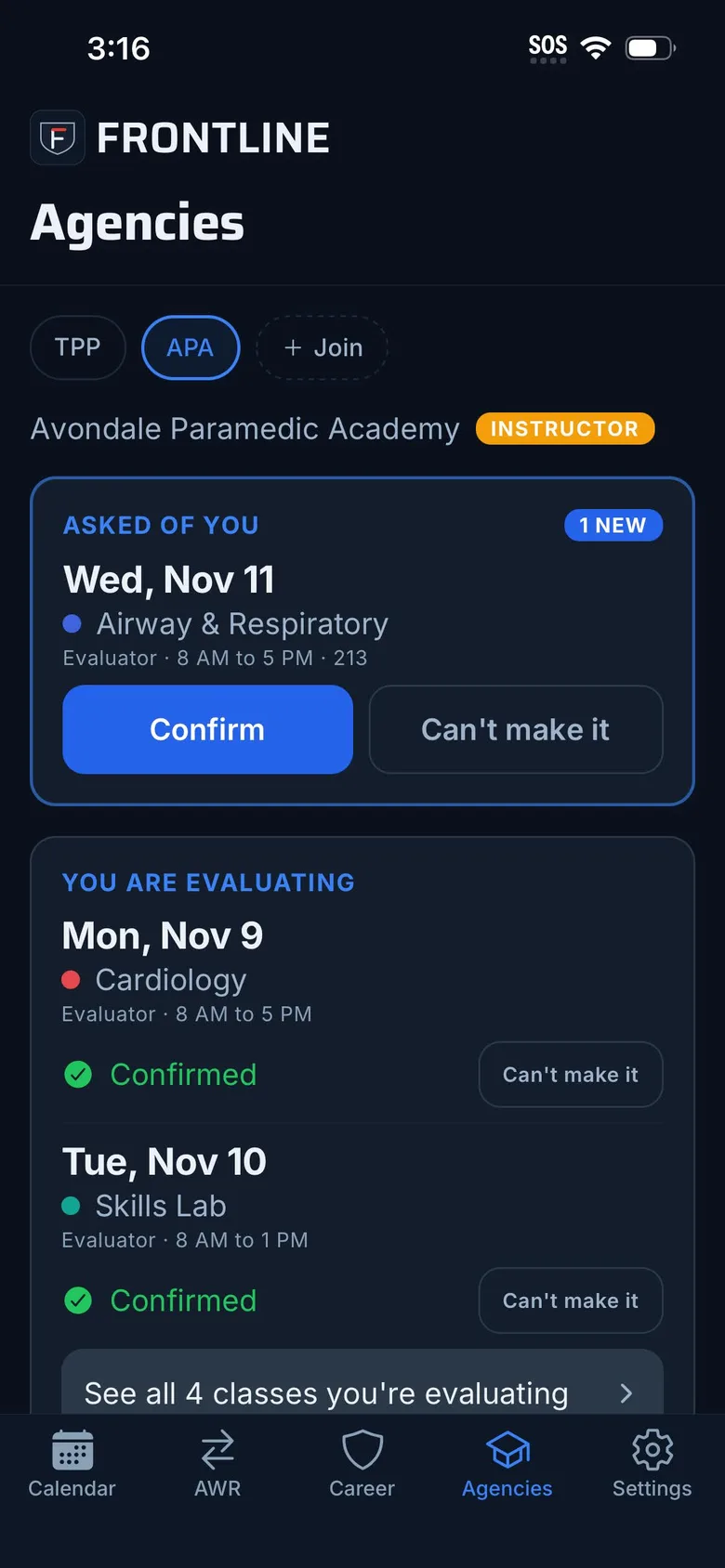
04 / 07 Evaluators
Short on evaluators for a skills day? Open the class in the portal, see who is available, and ask. It lands as a card with Confirm and Can’t make it, and your Staffing page updates.
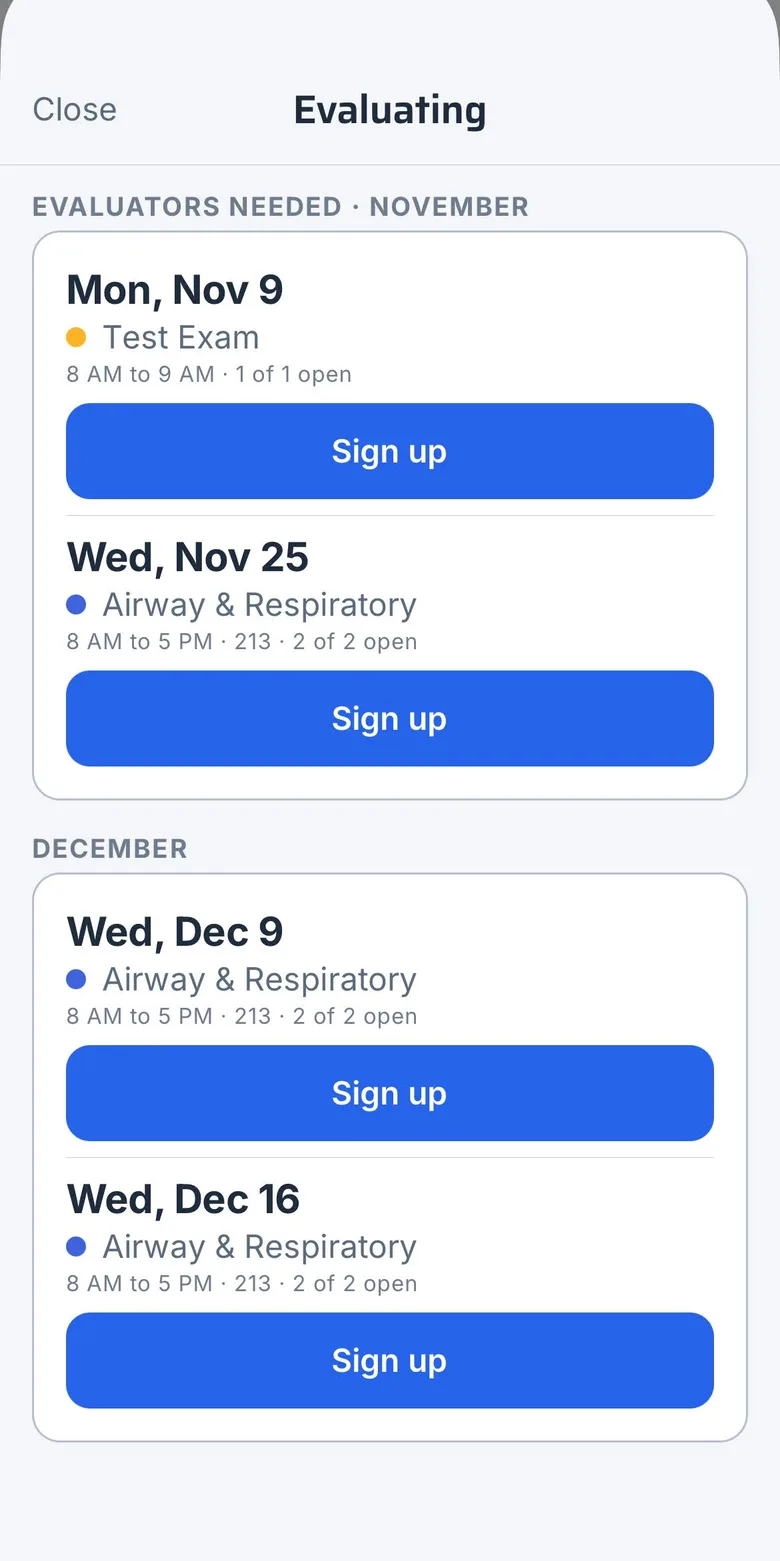
05 / 07 Open spots
Every open evaluator spot is listed by month, with how many are still open. One tap and they are on it, without a single group text.
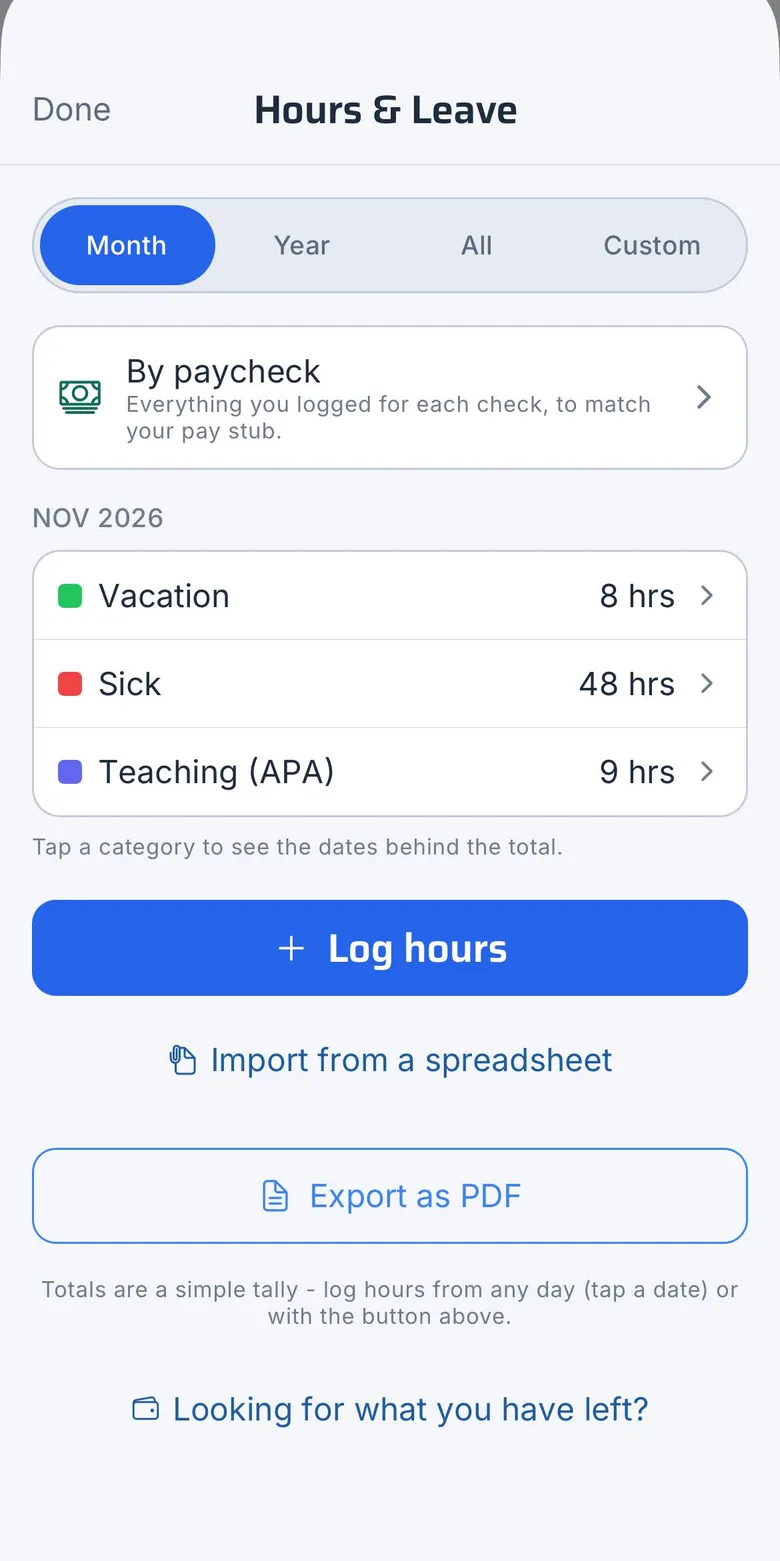
06 / 07 Hours
Each class they teach or evaluate is logged when it ends. They see it in their own Hours & Leave, and you export the payroll spreadsheet.
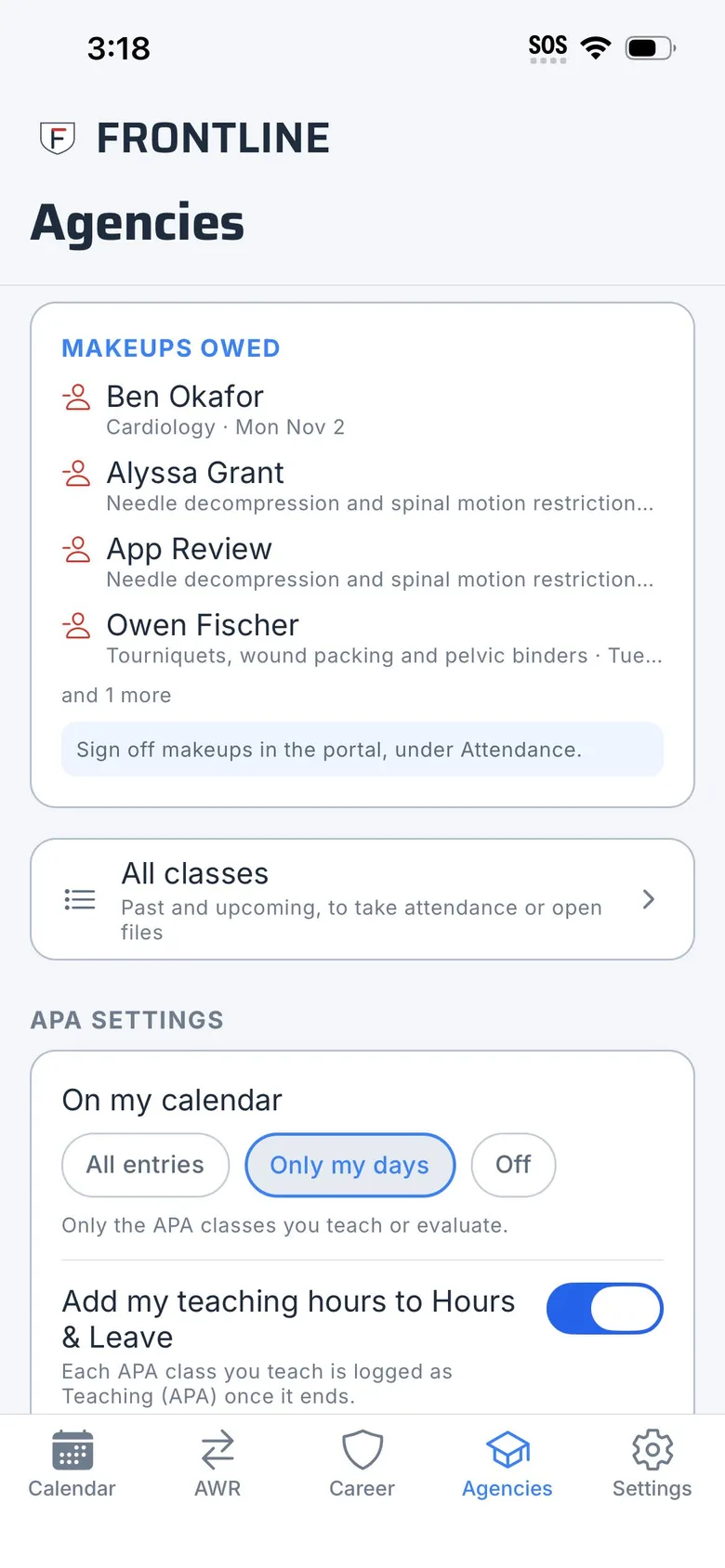
07 / 07 Their choice
All entries, only the days they teach, or off. Teaching hours can flow into their own Hours & Leave.
Beside their shifts
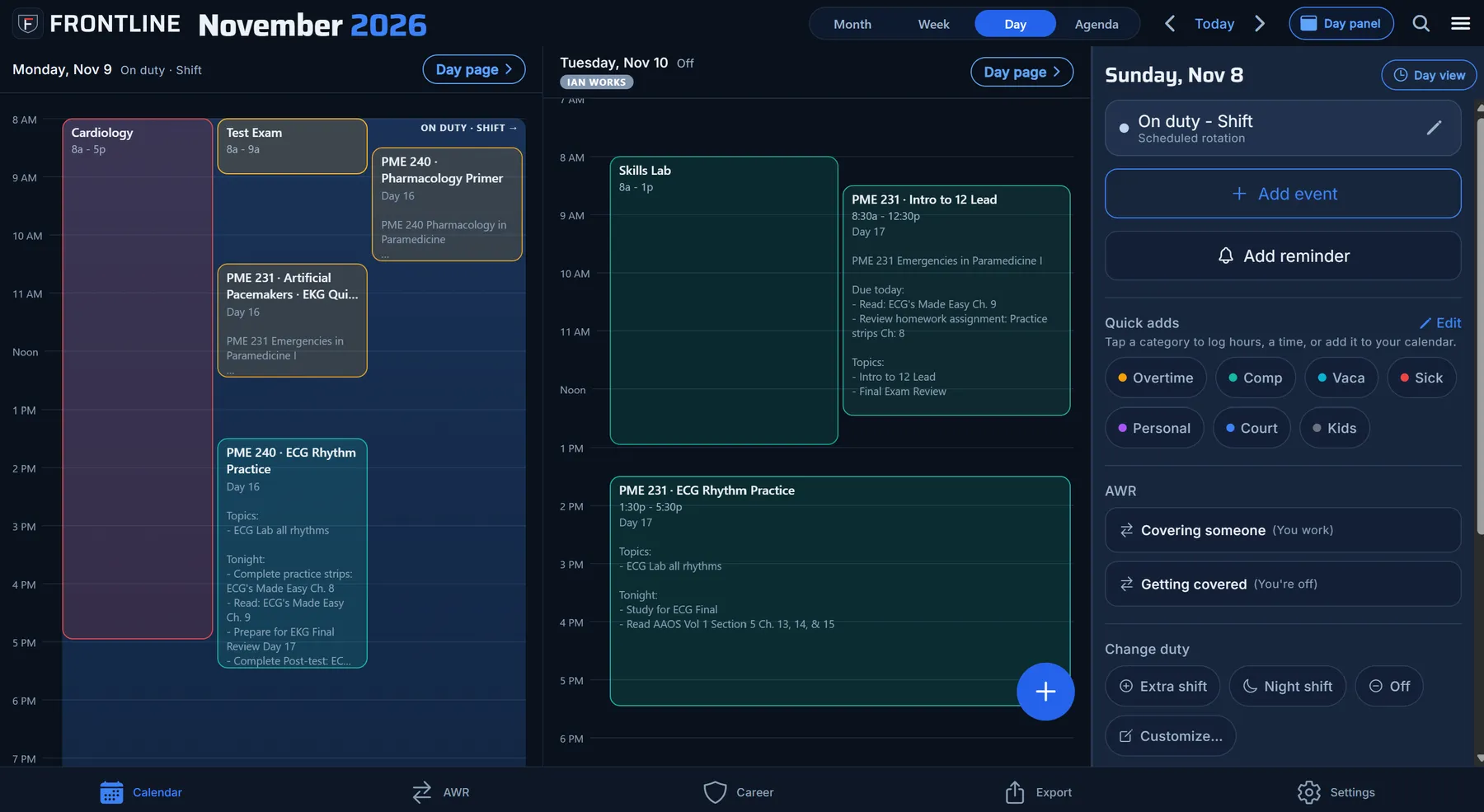
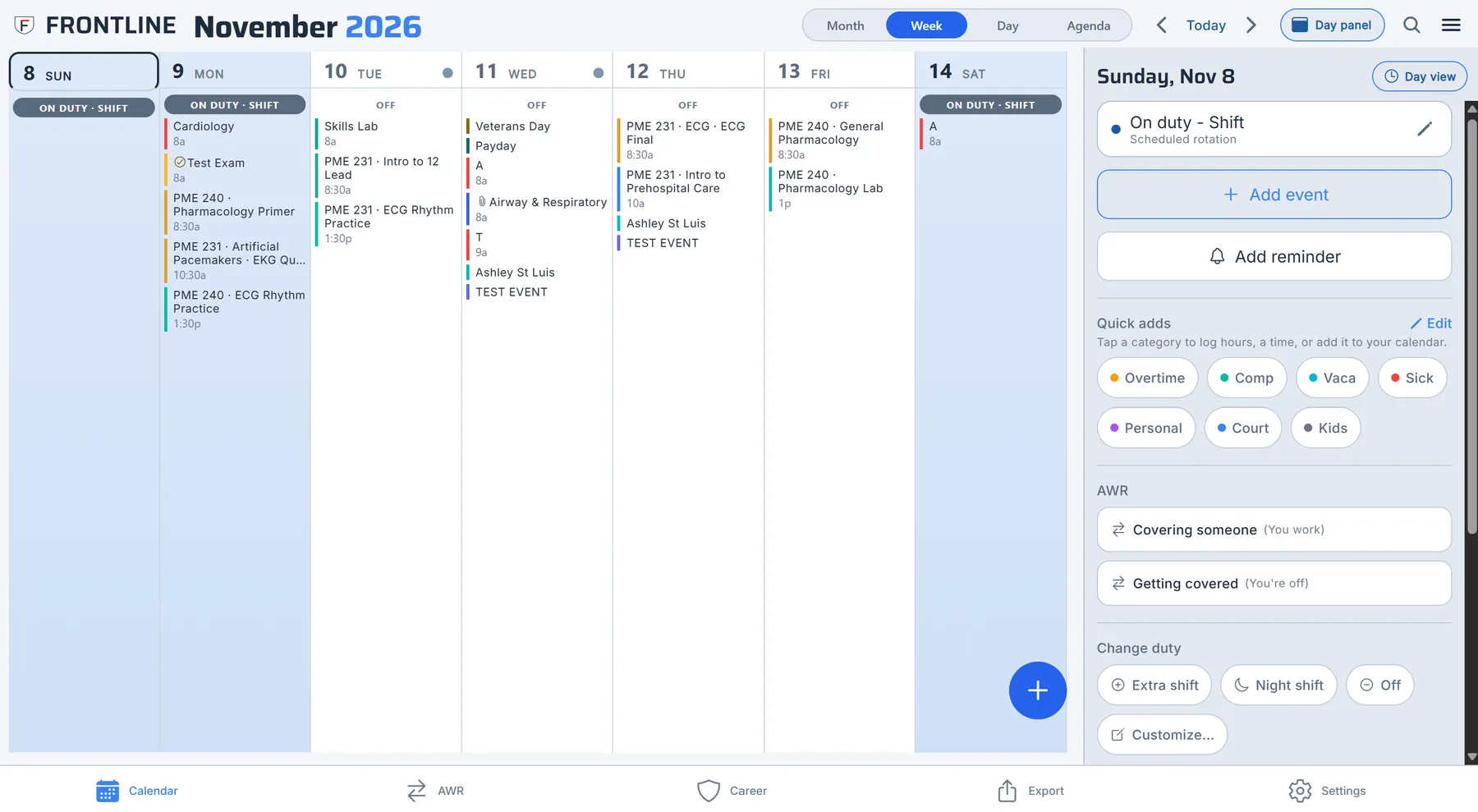
Shaded days are their shifts. Your entries sit right beside them, on the phone and on the web app at app.frontlinecalendar.com, so a class on a duty day is obvious a month out.
November 2026
2 classes land on a duty day. They can see it a month out, not the night before.
A month of paramedic school beside a 48/96 rotation.
Try it yourself
This is what your students, instructors and evaluators get. Pick a walk-through and watch it play, or take the phone and explore.
A working copy of the app with a made-up academy and made-up people. Tap anything. Nothing you do here is saved.
What you get
A portal built for the people who write the schedule, and an app built for the people who work around it. Both sign in with an emailed code, no password to forget.

Changes that actually land
A schedule change only counts if people see it. Frontline closes the loop from your desk to their lock screen.
Drafts never reach anyone. Publish shows every change since the last time, and each one can be undone before it goes out.
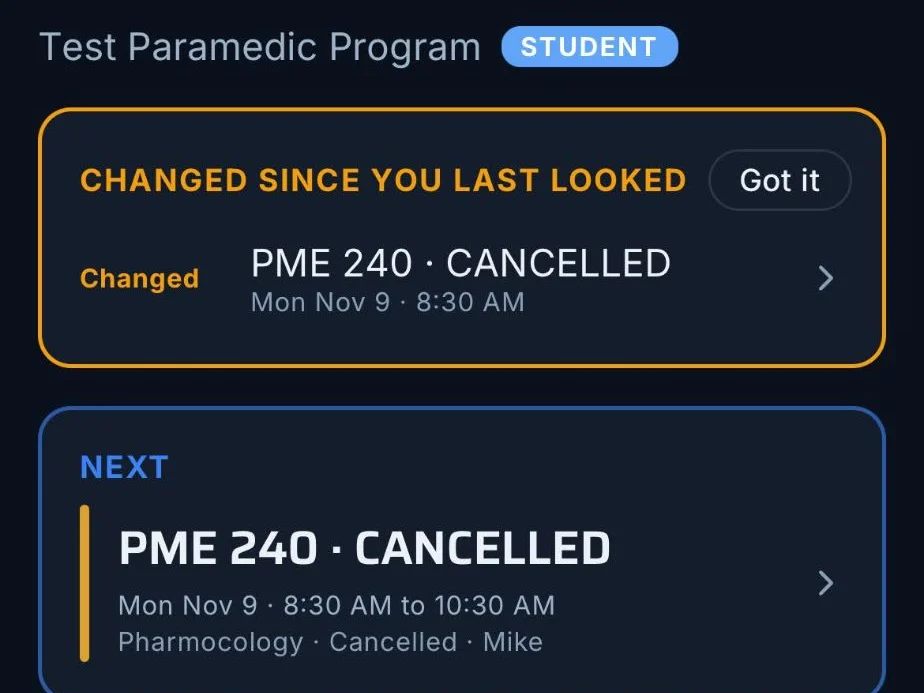
Publish quietly for a typo, or notify the students in those classes with a short note, so a moved exam does not depend on someone reading their email.
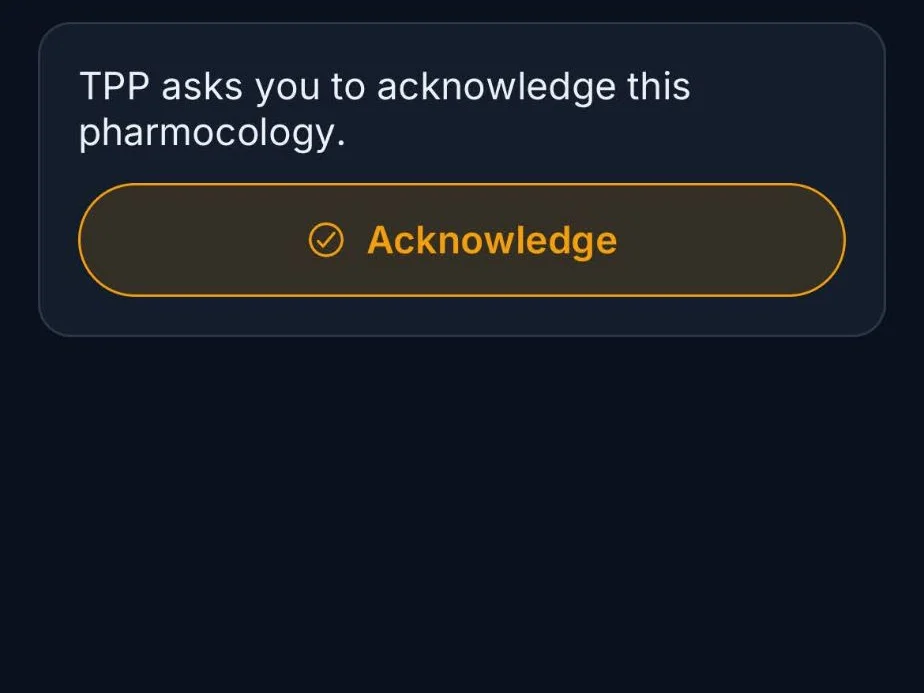
Flag an exam or a schedule change for acknowledgment. Members tap once, and you see who has and who has not.
Built on the job
Not another portal your students forget to log into. Frontline is the shift calendar first responders already use for their rotation, trades and certs, built by a Fire Captain and Paramedic who works the schedule too.
A CODE3TEK product
Import the schedule file you already have and review it. No retyping a semester.
You see members’ names, roles and acknowledgments. Never their personal schedules.
Your entries land next to each member’s rotation, so a class on a duty day is obvious a month out.
Who it’s for
Program directors and coordinators, training officers and schedulers.
FAQ
No. Members see your schedule in the Frontline app without Pro.
No. The agency sees the name a member gives it, their role, and whether they acknowledged an entry. Their own shifts, trades and everything else they keep in Frontline stay private.
iPhone, Android, iPad, and the web app at app.frontlinecalendar.com for anyone who prefers a computer.
Yes. Instructors can add and edit their own entries, and can choose to see only their own days.
Their own Agencies tab: the last class with its attendance, what is next, hours taught and evaluated, makeups owed, and any evaluator asks waiting for an answer. Each class they teach can log into their own Hours & Leave.
Yes. Upload a PDF, Word file or spreadsheet. The portal builds the entries, and you review them before anything is added.
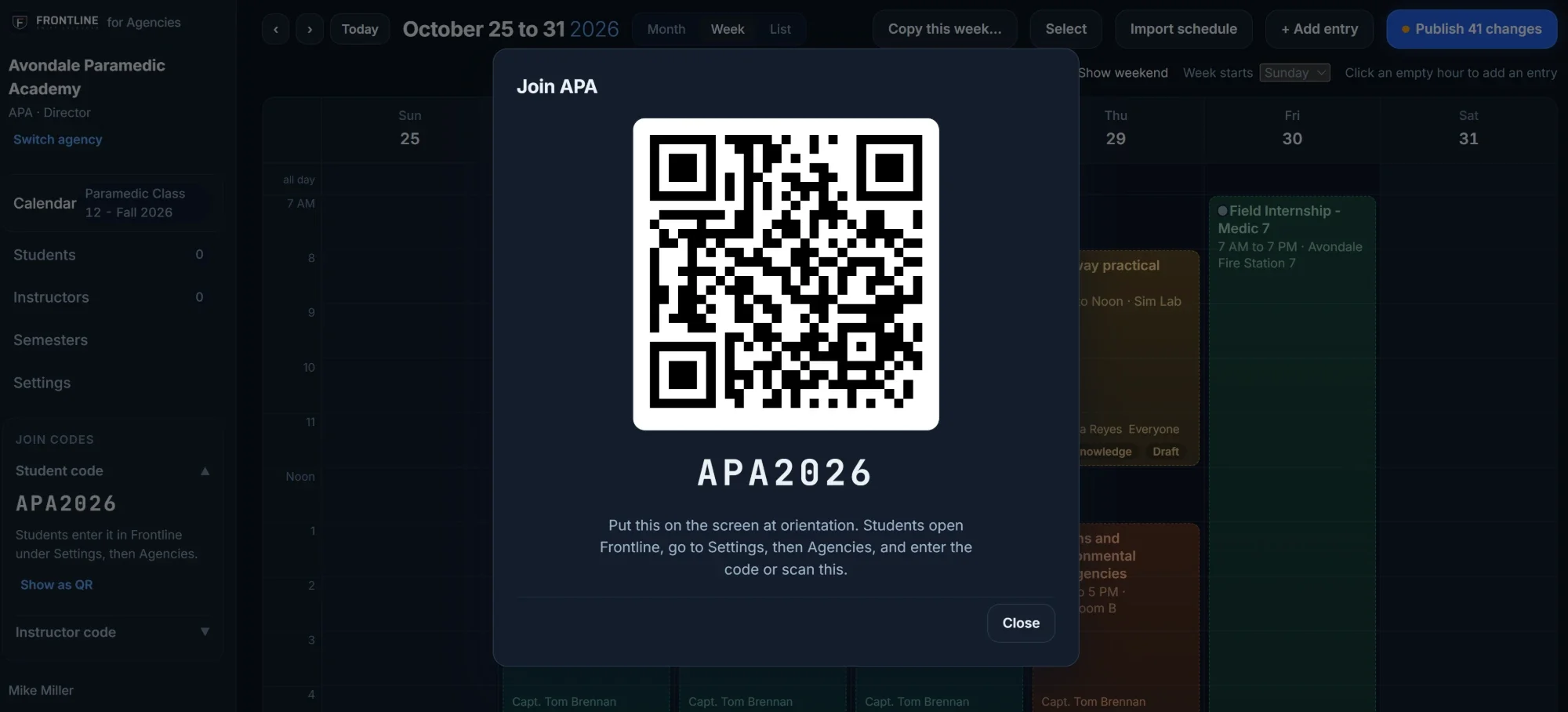
With a code from the agency. Show it as a QR at orientation and they scan it in the Frontline app.
Tell us about your program or department and we will show you how Frontline Agencies fits.
Talk to us about your agencyOr email agencies@frontlinecalendar.com