


Fire · EMS · Police

The shift calendar that
finally gets it.

Set up your whole rotation in 60 seconds on a calendar that actually knows shift rotations. Two-way Google & Apple Calendar sync means your family always knows, and the widgets are always right. Built by a Fire Captain actually on the job.

A CODE3TEK product

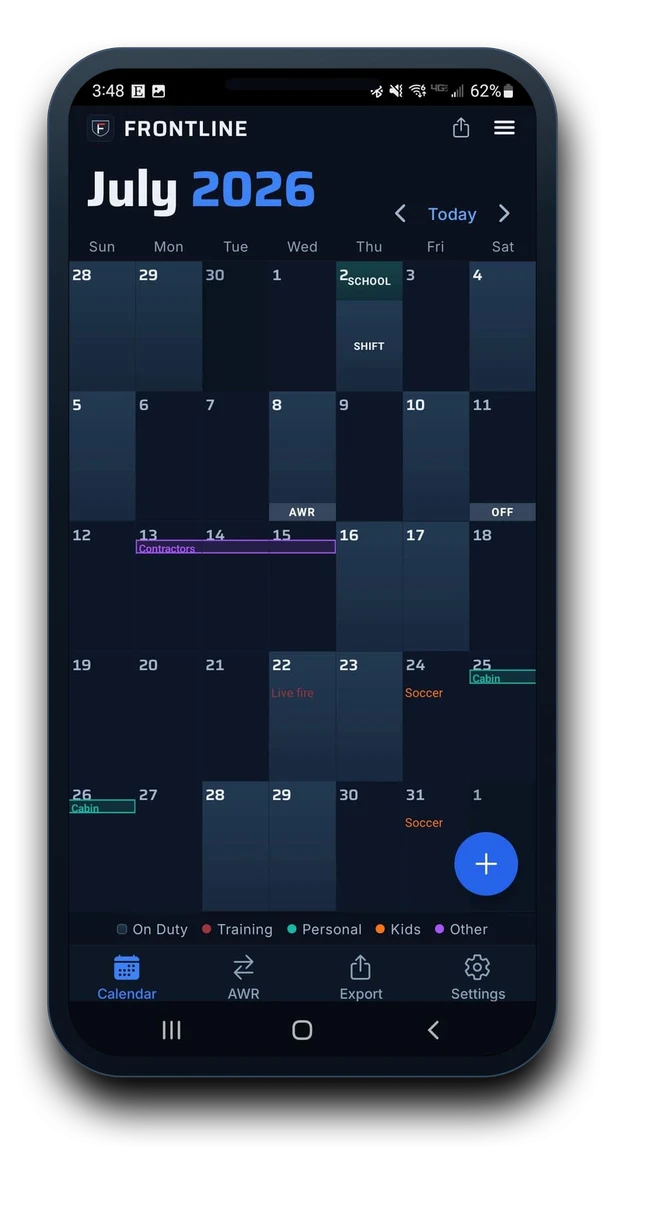
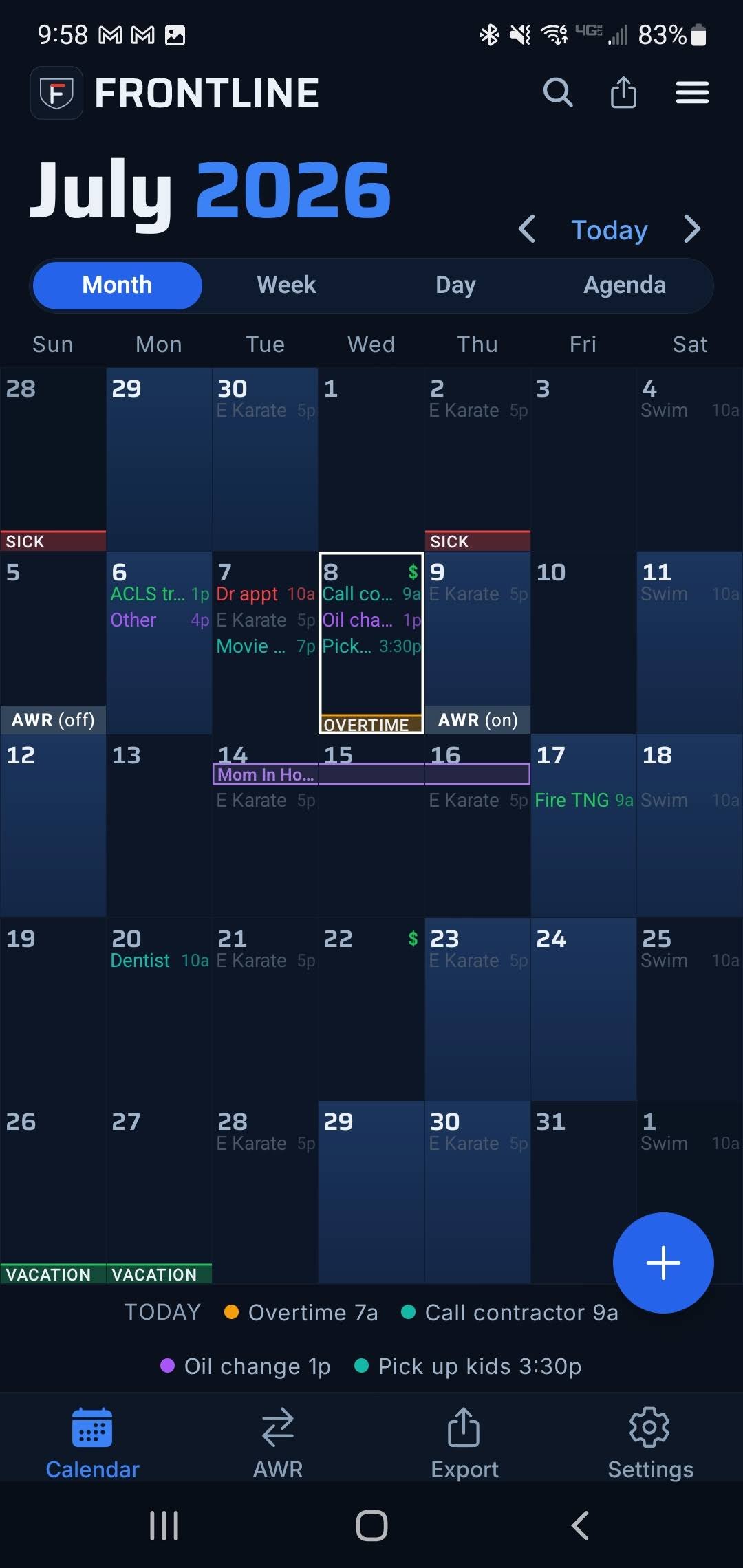
Frontline month calendar for July 2026 with the Month, Week, Day and Agenda view switcher, color-coded shifts and events, and a ring on today.

Why Frontline

Built for the schedule
you actually work.

Four things every other calendar gets wrong for first responders, and how Frontline gets them right.

A few taps, done

The easiest shift calendar to set up

Pick your discipline and your rotation pattern and Frontline builds the whole calendar for you. No spreadsheets, no entering every shift by hand, no wrestling a generic app into a 24/48. You’re set in under a minute.
The AWR shift-trade ledger

Track every trade until it’s square

Log who covers what, send a shift trade share card in two taps, and keep the ledger until both sides are settled. No more "who owes who" guesswork. Shift trades made easy.

Home-screen widgets

Your rotation, one glance away

A free week-strip widget and, on Pro, the full month or a scrollable day agenda on your home screen, in every widget style. Know your next shift without opening anything.

Your calendar, your rules

Fully customizable

Recolor any rotation, day, or event to whatever you want, build your own event types, add reminders to anything, drop in map links, and set the today-ring your way.

Four ways to read your schedule

Month, Week, Day, Agenda. Your call.

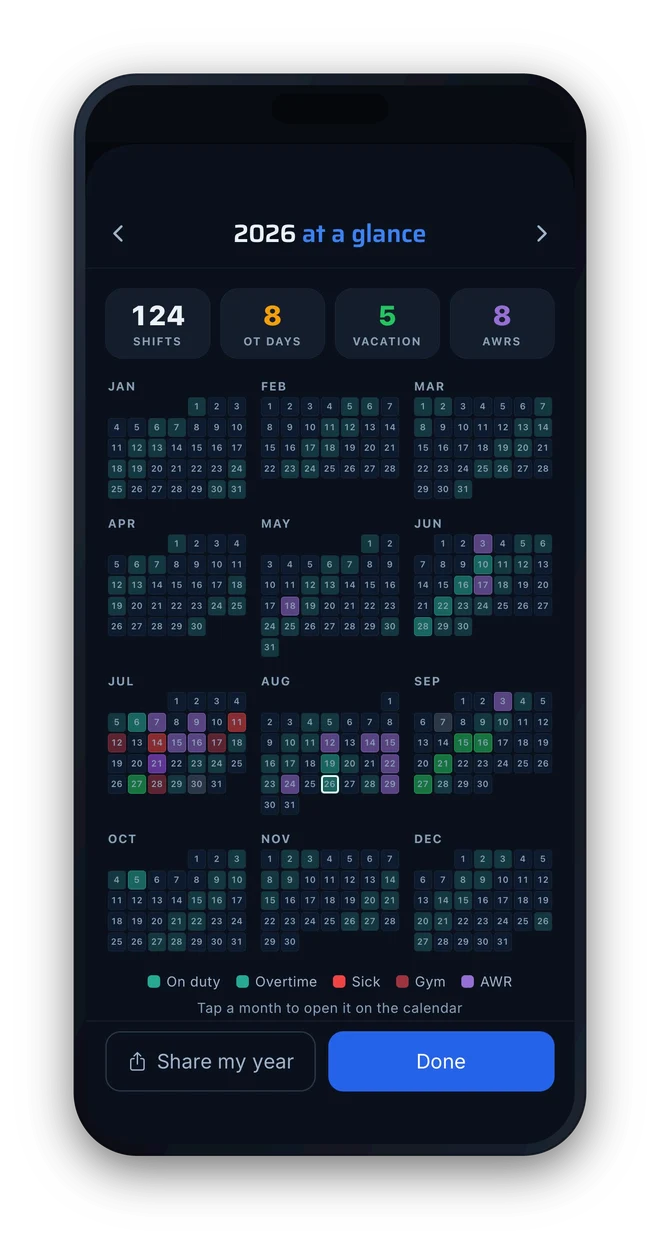
The big month grid is just the start. Flip to a week of cards, an hour-by-hour day timeline, or an agenda that pairs the month with the day’s full list - one tap between them, same schedule everywhere. Month is free; Week, Day and Agenda come with Pro.

Frontline Month view: the full July 2026 rotation with color-coded shifts, events, trades, and a ring on today.
Month
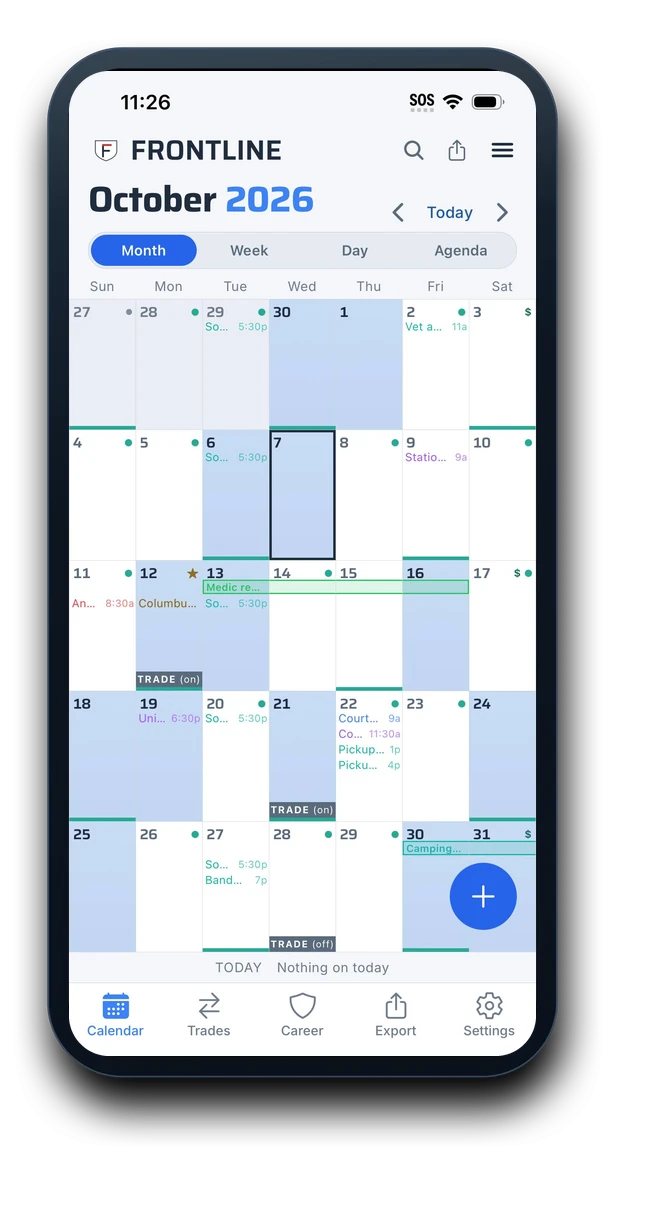
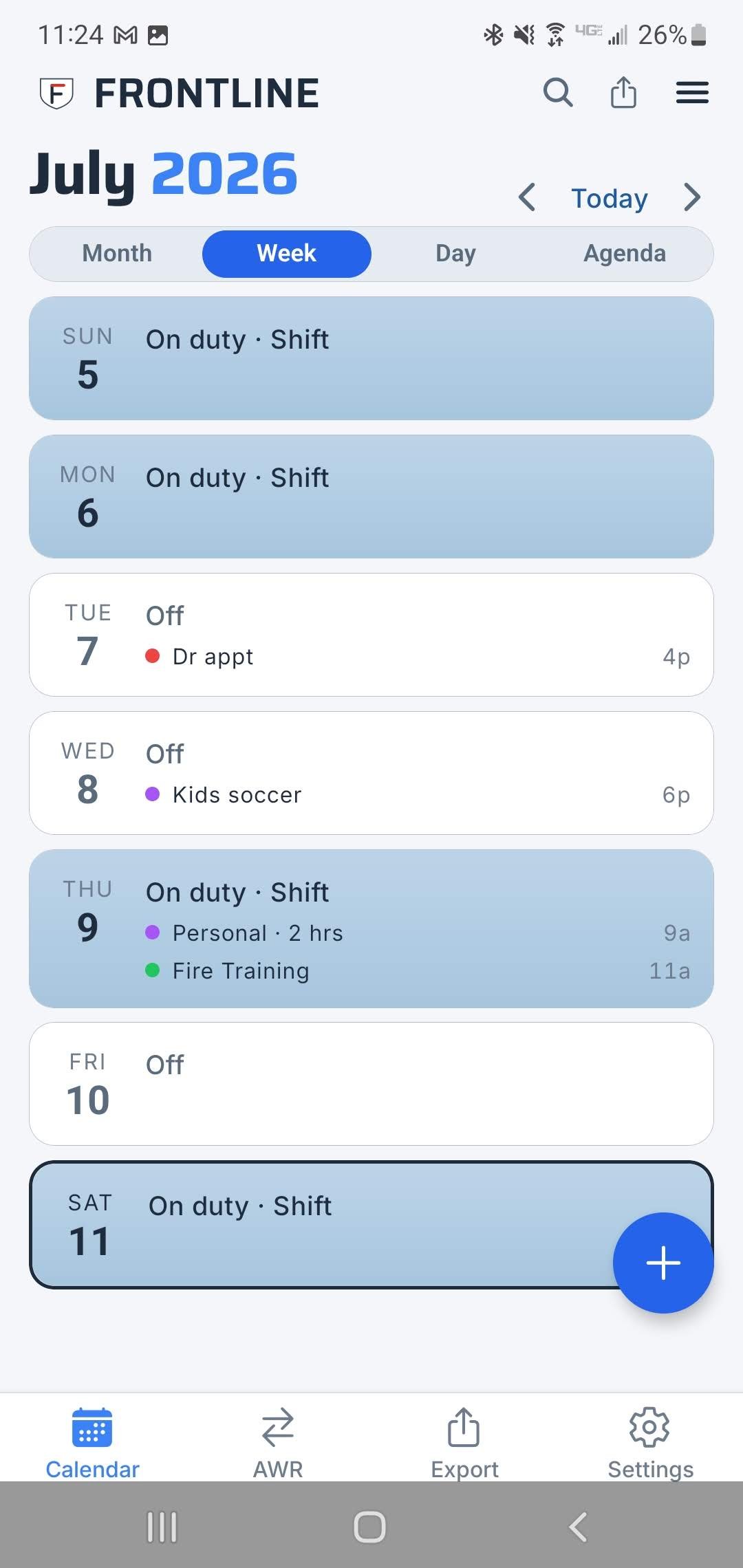
Frontline Week view in light mode: each day as a card showing on-duty or off, with events listed under each day.
Week
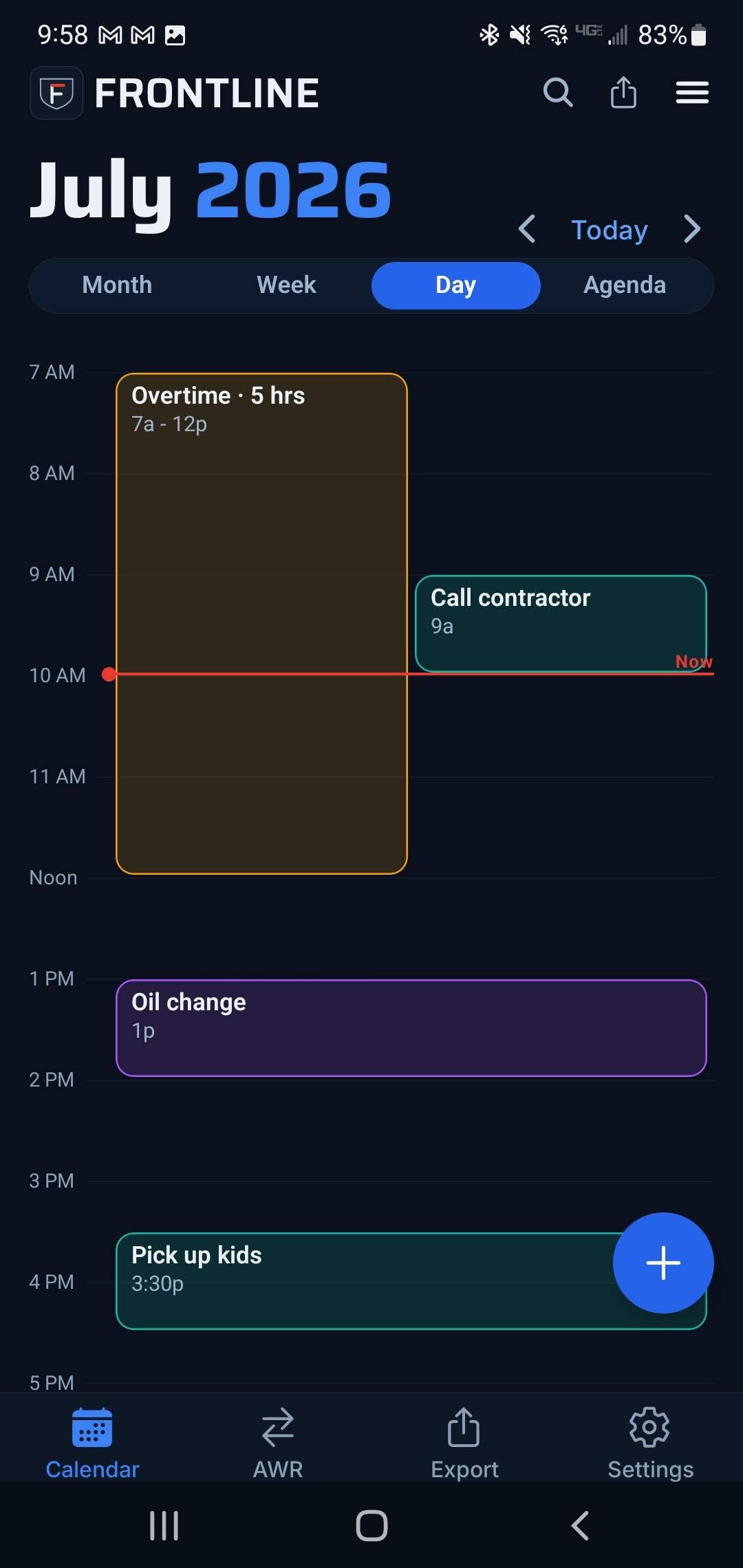
Frontline Day view: an hour-by-hour timeline of the day with a live "now" line.
Day
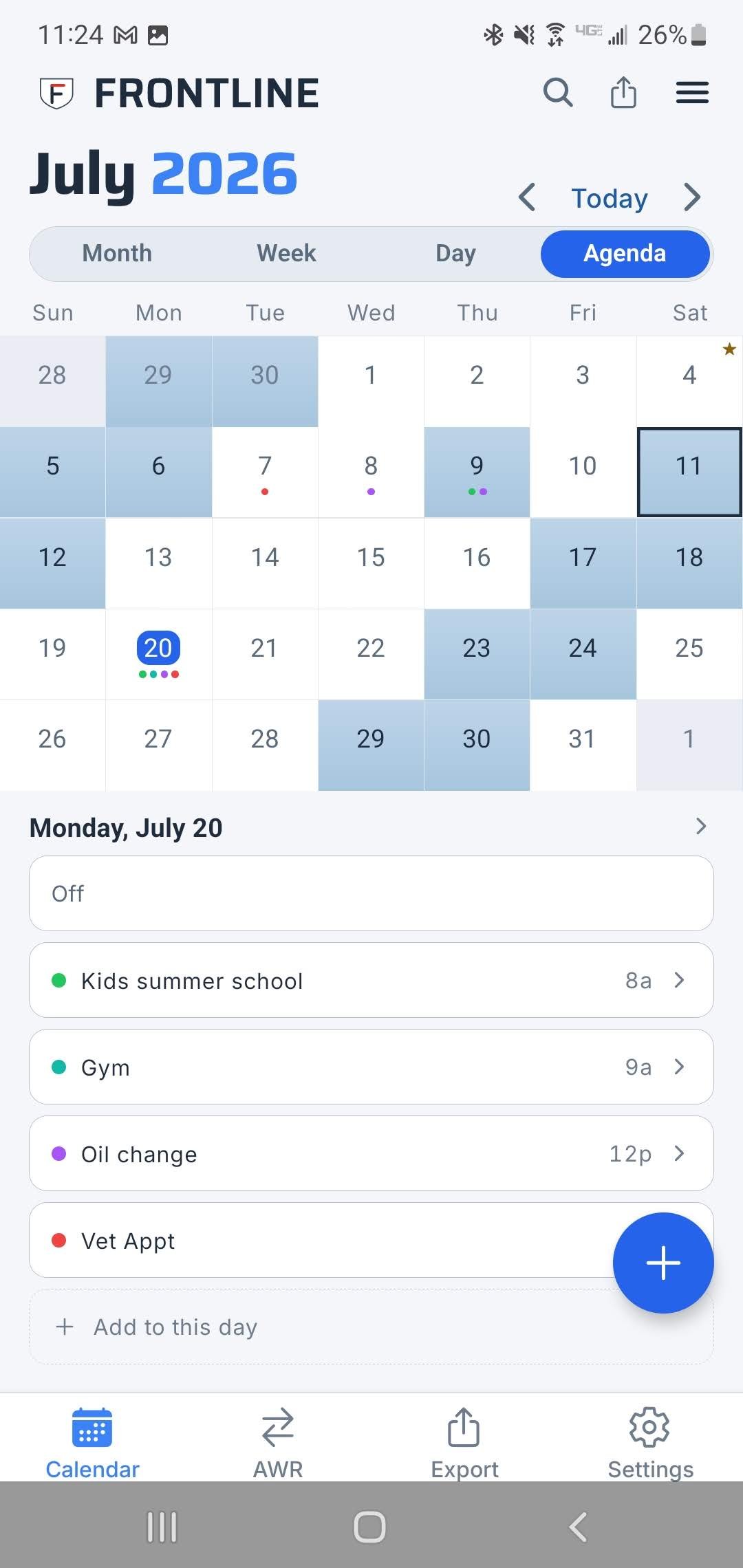
Frontline Agenda view in light mode: a compact month grid on top with the selected day’s full list of shifts and events below.
Agenda

The AWR shift-trade ledger

Every trade, tracked until it’s square.

Shift trades are the messiest part of the job, and the thing no generic calendar handles. Frontline turns “who owes who” into a ledger both sides can read.

  1. 01

    Build the trade

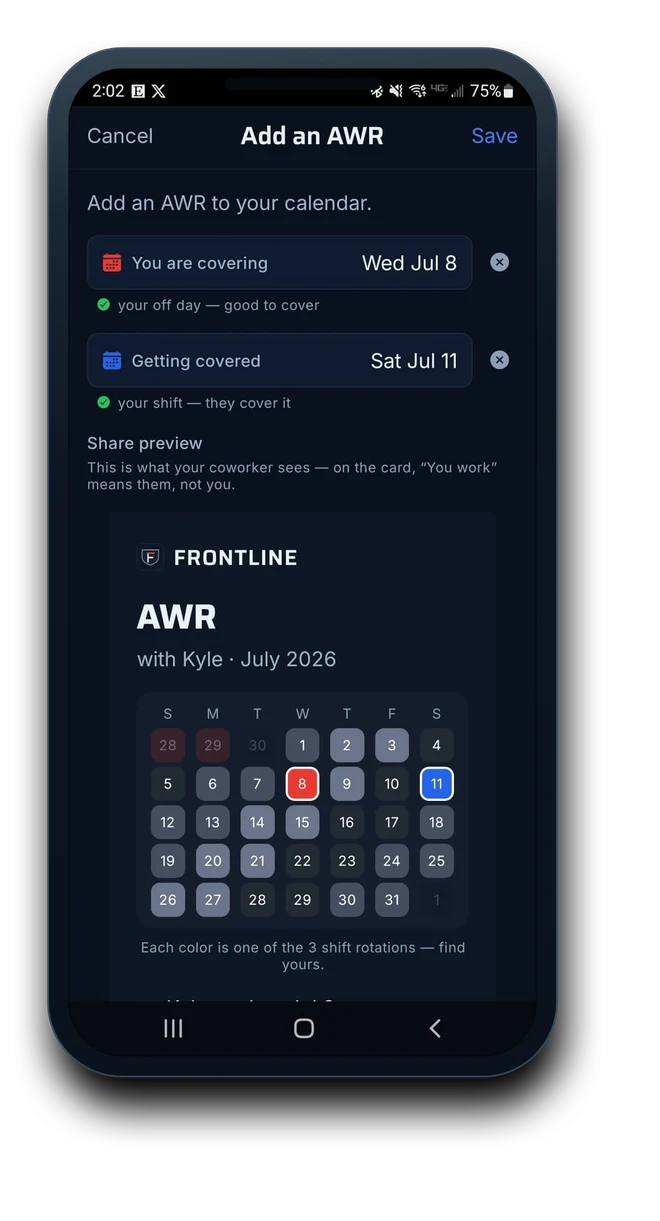
    Tap the day you’re covering and the day you’re getting covered. Frontline checks they fit your rotation and builds the card for you.

  2. 02

    Text it over

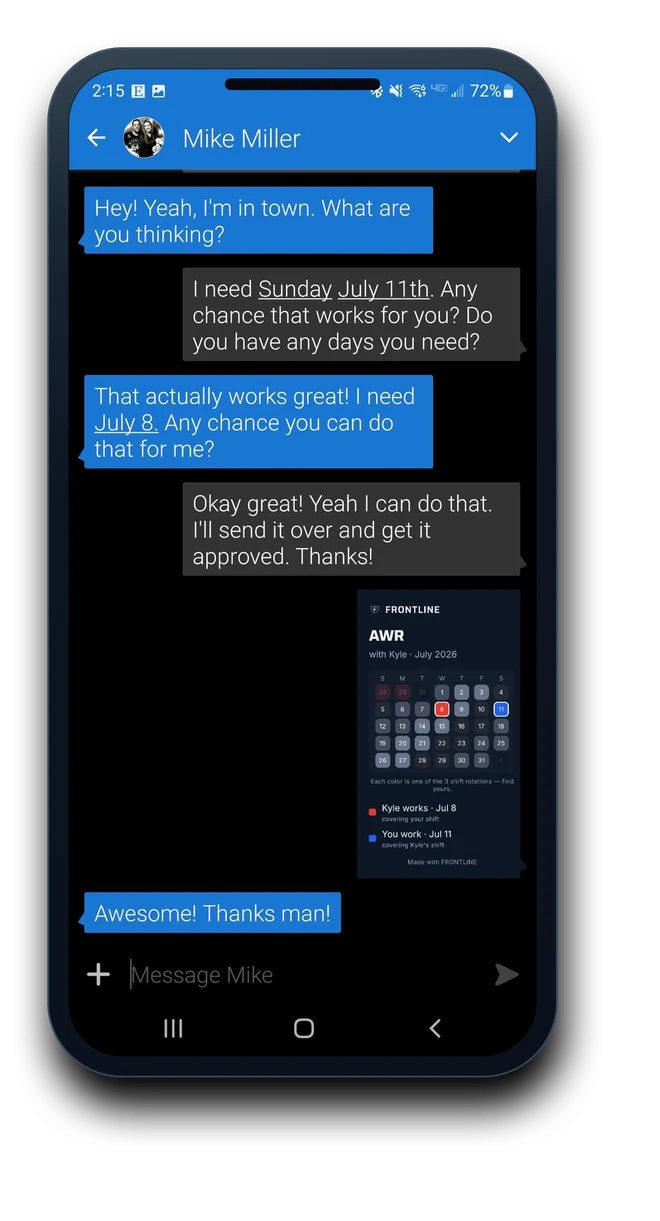
    Send the card straight to your partner. They see exactly which shift each of you is working, no messy screenshots, no back-and-forth.

  3. 03

    Track it to settled

    Both shifts worked? Mark it settled. The ledger keeps every trade square, so nobody’s keeping score on a napkin.

Frontline Add an AWR screen: choosing the day you're covering and the day you're getting covered, with a live share-card preview.
A text message thread sending the Frontline AWR share card to a coworker named Mike.

Home-screen widgets

Your whole month, without opening a thing.

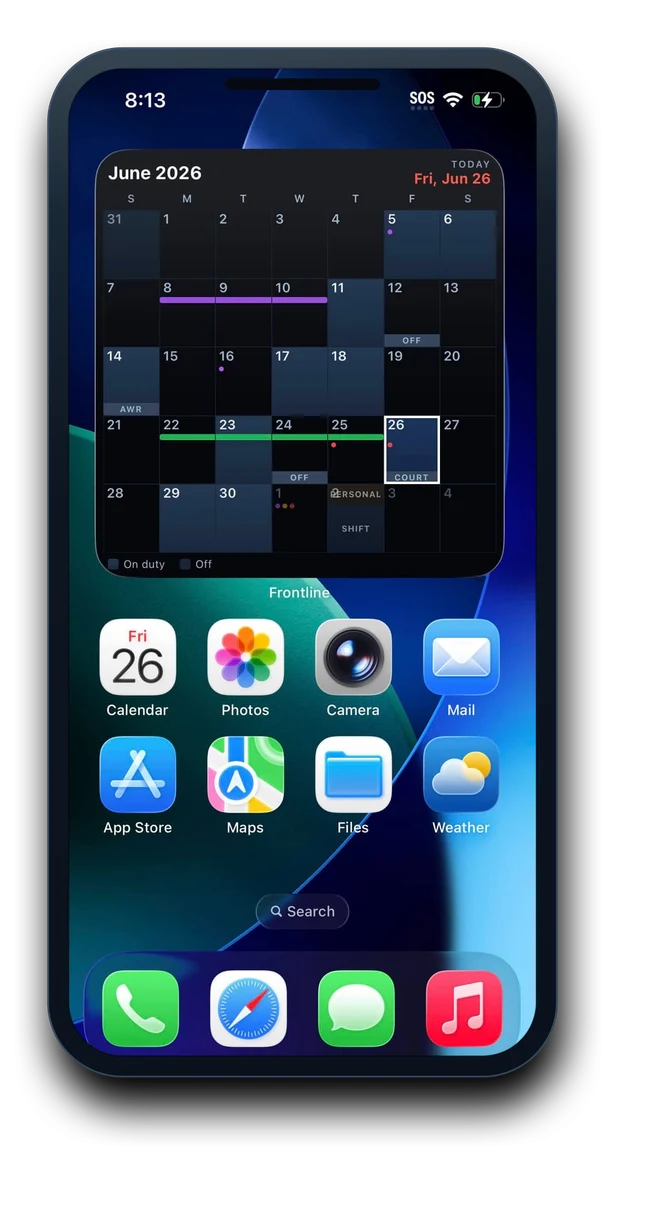
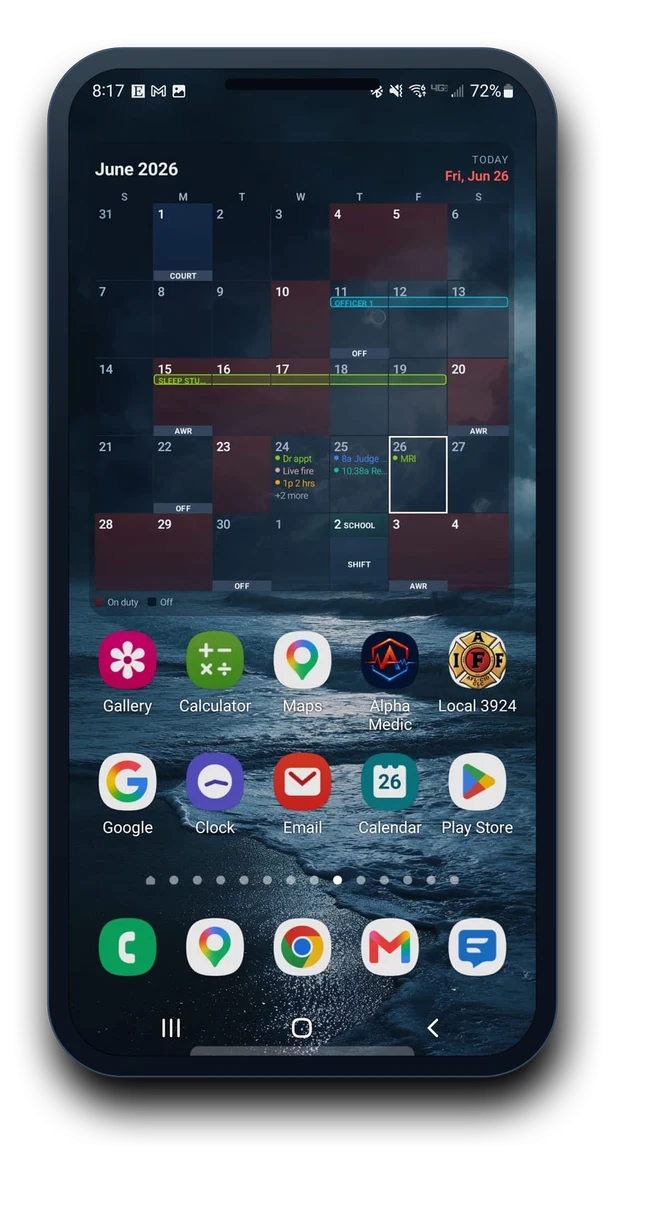
The large month widget puts your full rotation right on your home screen, today highlighted, trades and events marked. Glance and go. Prefer a tighter read? There’s a free week strip and a scrollable Day widget with everything on today’s plate - pick the style that fits your screen, on both iOS and Android.

The Frontline large month widget on an iPhone home screen, showing June 2026 with today ringed.
iOS
The Frontline large month widget on an Android home screen, showing June 2026 with on-duty days and trades.
Android
  • Large month widget
  • Free week strip
  • Day agenda widget
  • Customizable

Two-way Google & Apple Calendar sync

Your shifts, in the calendar they already check.

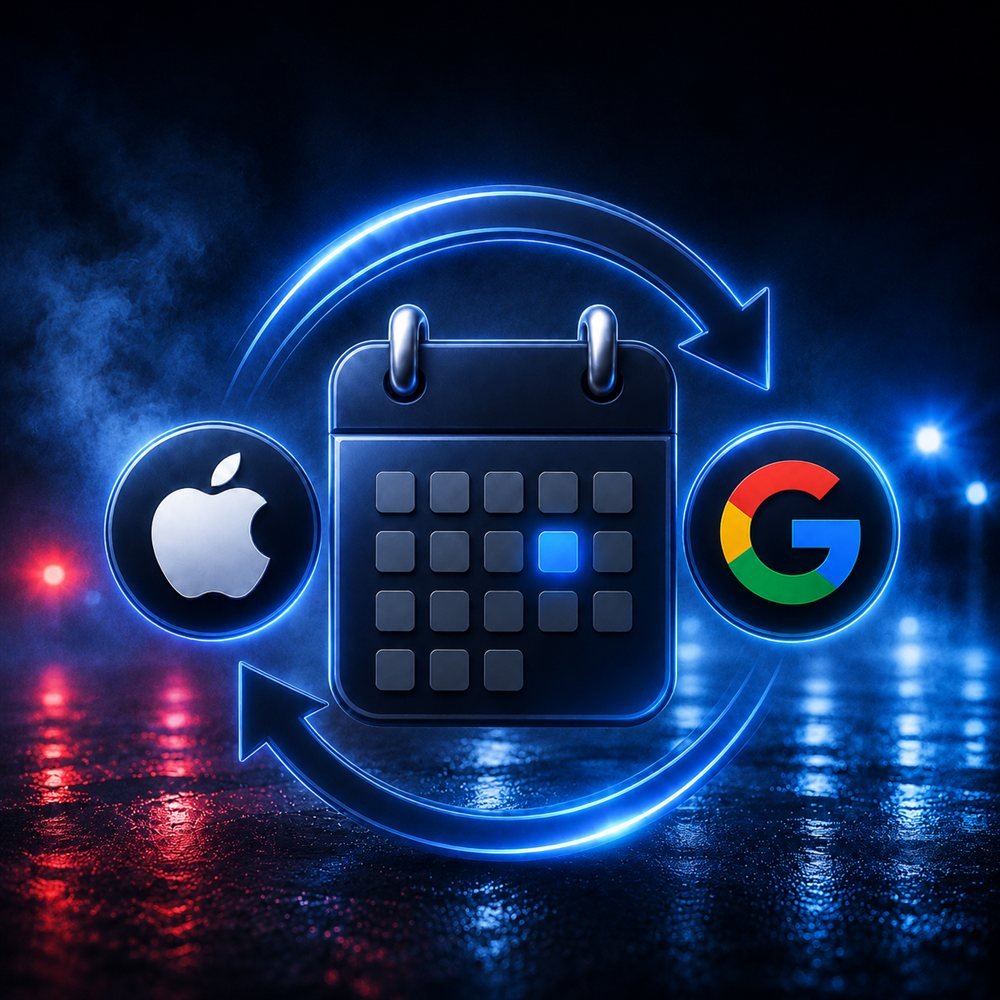
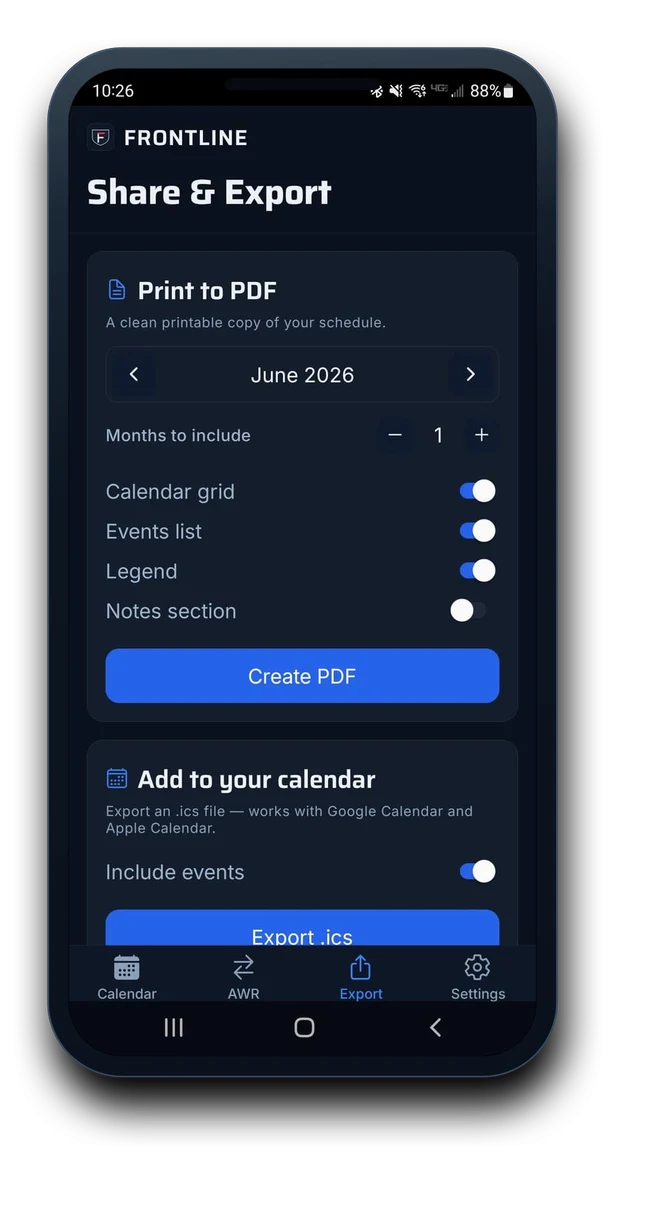
New in 1.1: flip one switch and your shifts sync both ways with your Google or Apple account. Every shift lands on the calendar your family already checks, and what they add there shows up in Frontline - so the family always knows, without ever asking. Still want paper? Print a clean monthly PDF for the fridge or export an .ics of the whole rotation.

A shift calendar syncing both directions between Apple and Google, over wet pavement lit by red and blue emergency lights.
Frontline Share & Export screen: the Sync to Google / Apple Calendar card with the Share my schedule switch, above Print to PDF options.
  • Two-way sync - shipped in v1.1
  • Included with Pro
  • Print to PDF
  • .ics export

New in 1.1

The career suite your
other calendar never had.

Version 1.1 adds the things you actually keep track of over a career - right next to the rotation.

Free · Career tab

Your whole career, counted

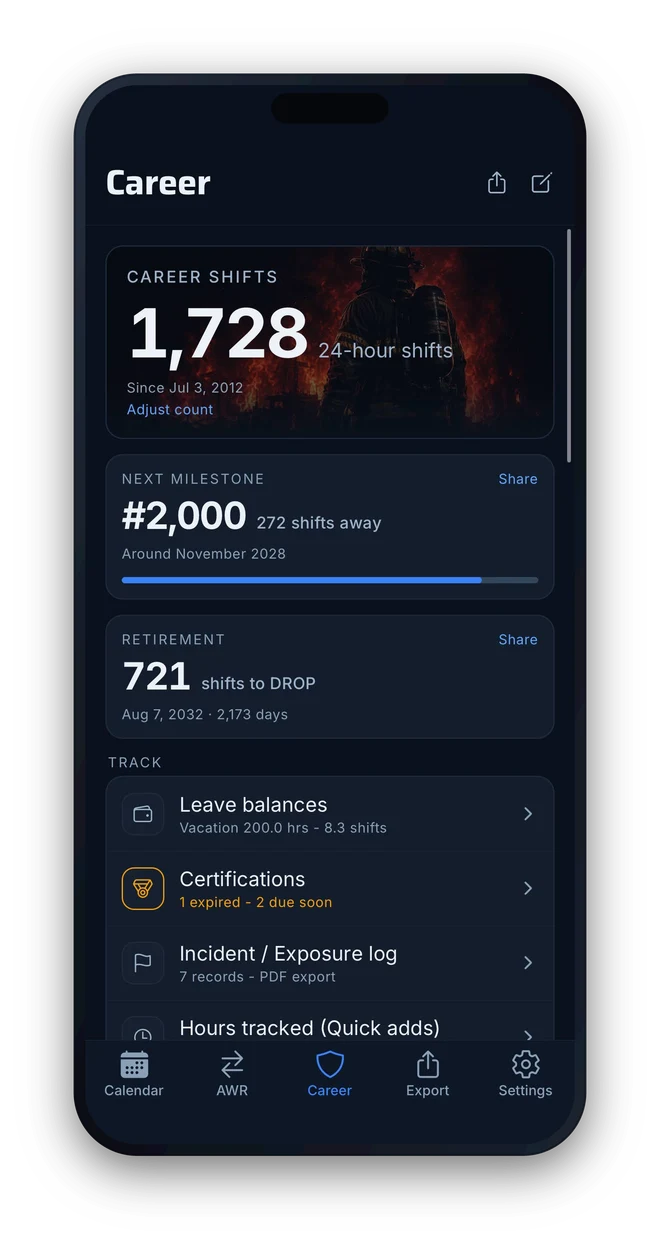
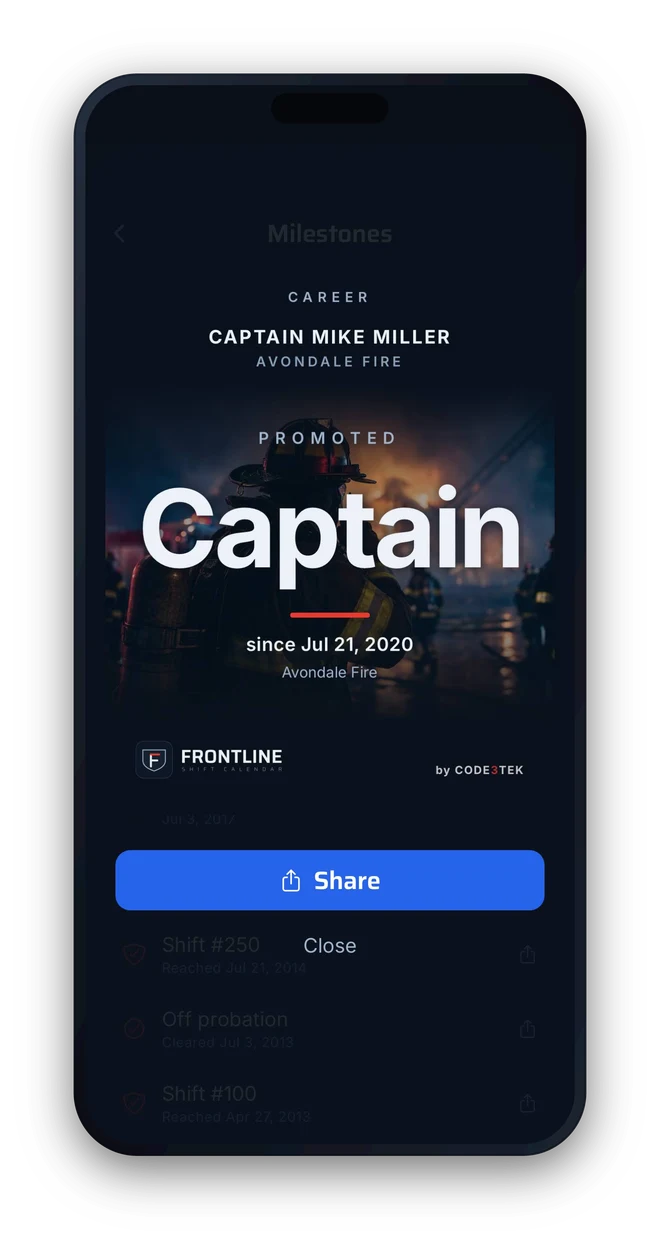
A career shift counter that climbs every tour, milestones as you pass them, your rank history, and retirement countdowns - in years and in shifts left.

Pro · Cert tracking

Certs that expire in shifts, not just dates

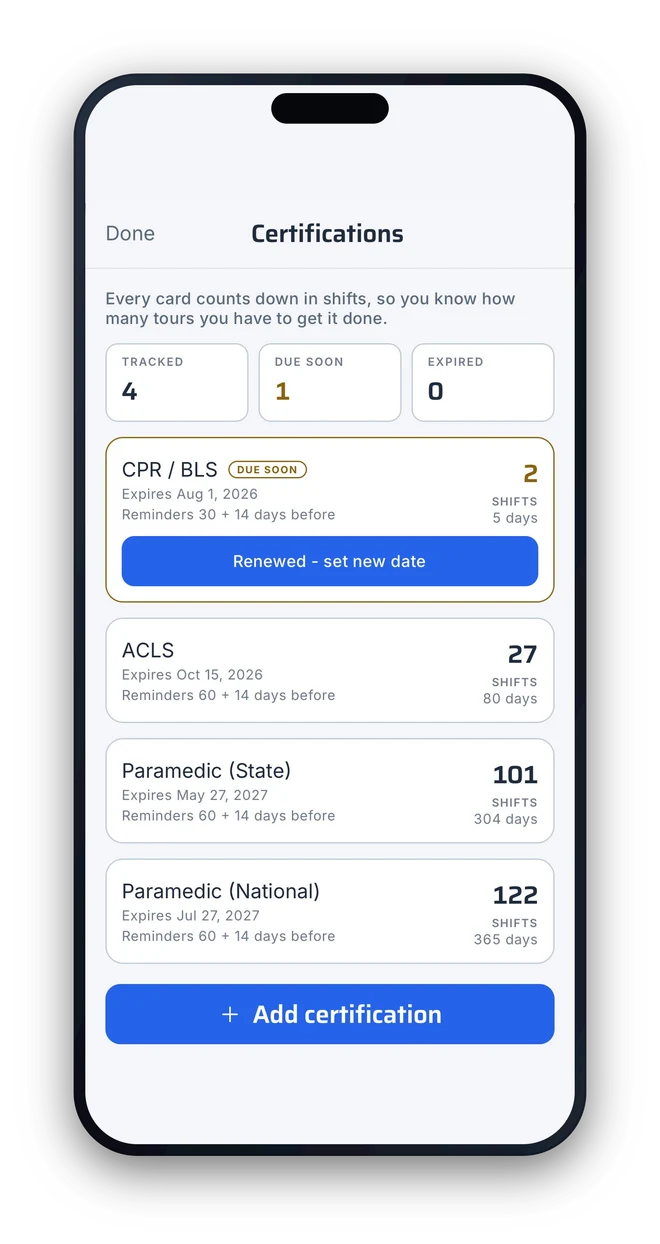
Track every cert and see expirations counted in shifts left, so a renewal never sneaks up on you mid-rotation.

Pro · Partner Schedule

Find your next day off together

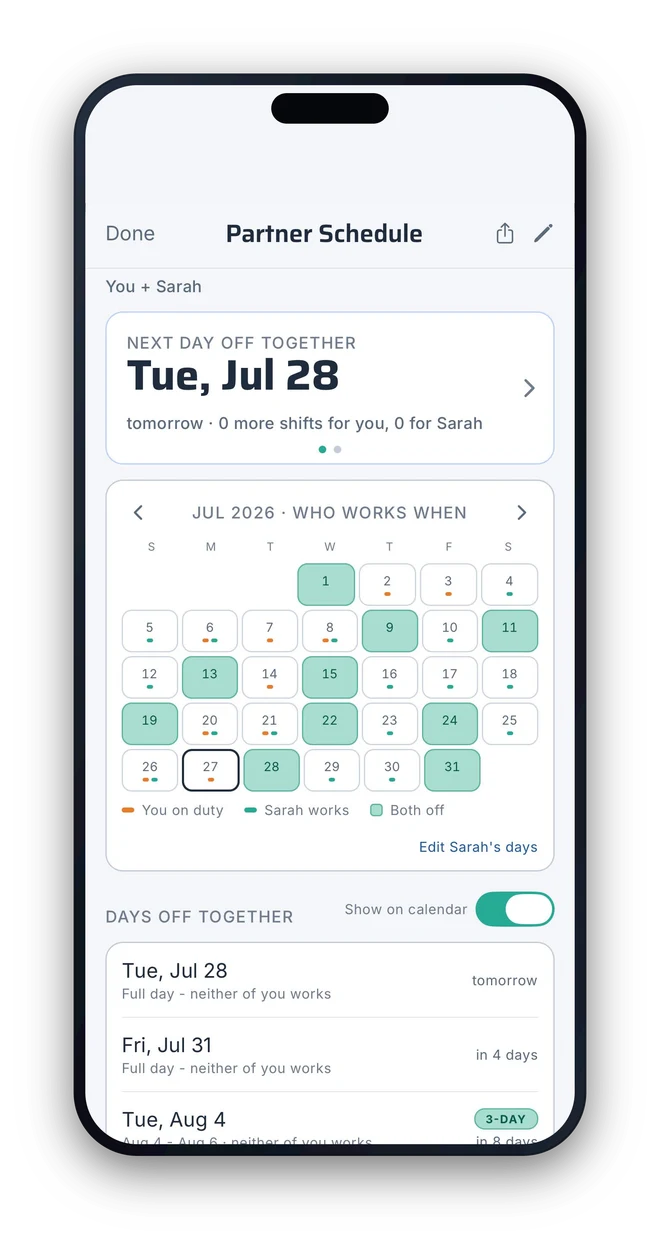
Put your partner’s rotation next to yours: your next day off together and the child-care gaps, spotted in seconds.

Also in 1.1

Sync, views & the log

Two-way Google & Apple Calendar sync, the new Week, Day and Agenda views, and the incident & exposure log - all shipped in v1.1.

Frontline Career tab: 2,690 career shifts counted since 2004, the #3,000 milestone 310 shifts away, with cert tracking, the incident and exposure log, hours & leave, and a Captain rank history.
Career tab
Frontline cert tracking: four certifications with expirations counted in shifts left - a state Paramedic card due soon at 10 shifts, ACLS and PALS at 46, with reminders before each renewal.
Cert tracking
Frontline Partner Schedule in light mode: the next day off together highlighted as Fri, Jul 24, a month grid showing who works when, and a list of upcoming shared days off.
Partner Schedule

Exposure & incident log

Log the call now. Pull the record later.

Tag a shift as an exposure or a notable incident and capture what matters in seconds - the run number, location, unit, and time. When you need it, export a clean, printable PDF of every entry to pull the official report down the line.

  1. 01

    Tag the day

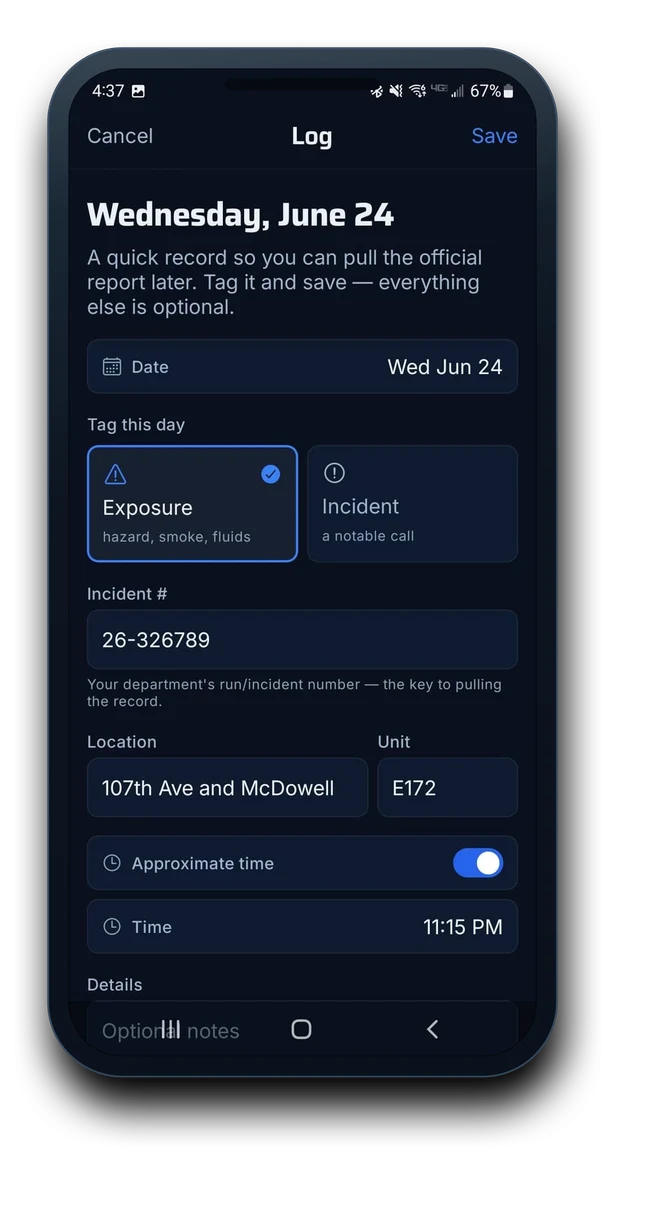
    Mark a shift as an Exposure or a notable Incident. That’s the only required step - everything else is optional.

  2. 02

    Capture the details

    Add the run number, location, unit, and time, plus a quick note while it’s fresh. Done in seconds.

  3. 03

    Export the log

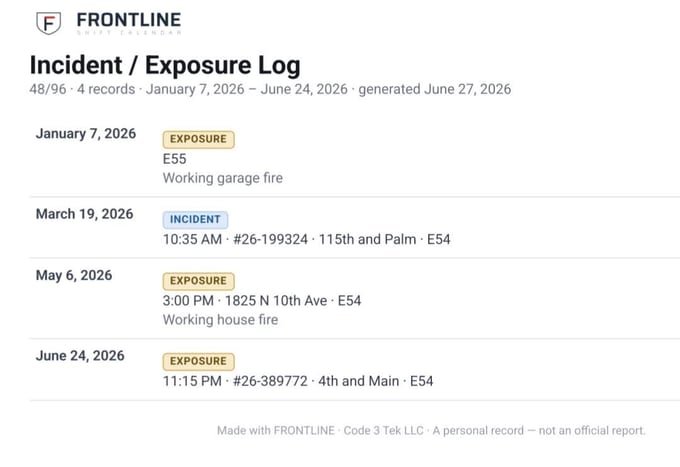
    Generate a clean, printable PDF of every entry - the dates and numbers you need to pull the official report later.

A printable Frontline Incident / Exposure Log PDF listing dated entries with run numbers, locations, and units, footed 'a personal record - not an official report.'
The Frontline Log screen tagging a day as an Exposure, with fields for incident number, location, unit, and time.

Hours & leave tracking

Every hour, tallied. Your own records.

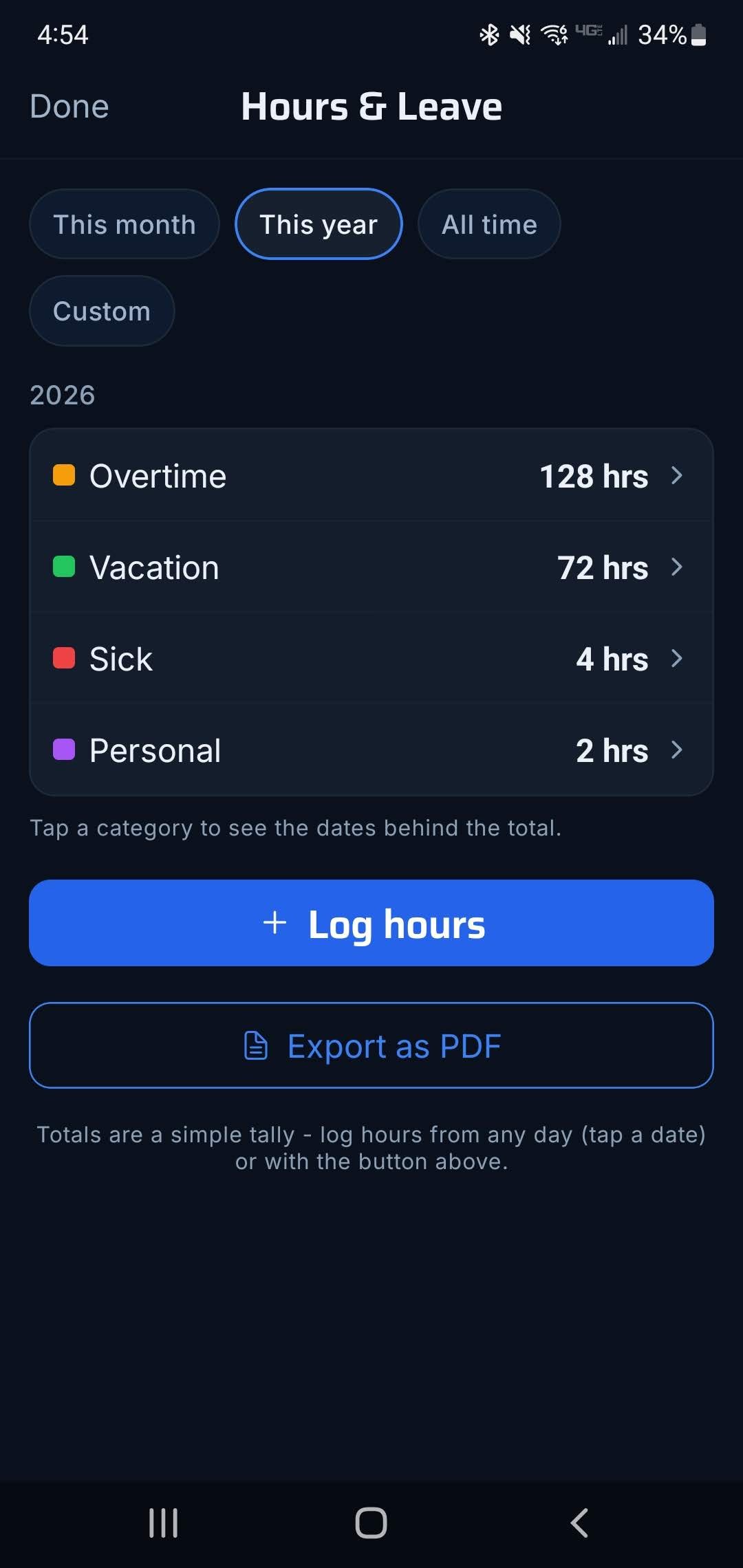
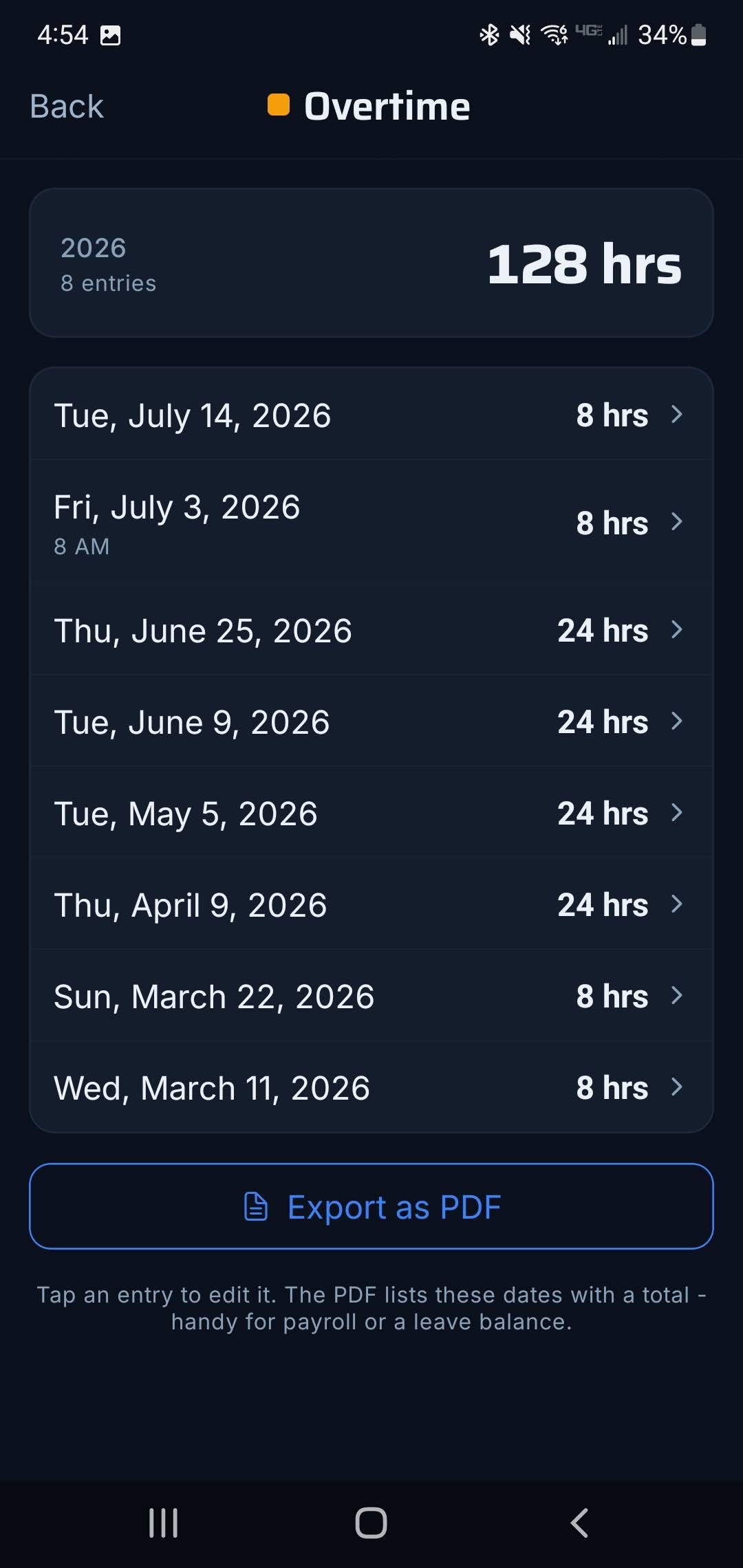
Log overtime, vacation, sick, and personal hours right from the calendar - tap a date or hit Log hours, done. Filter by month, year, or all time, tap any category to see the dates behind the total, and export a dated ledger PDF to keep for your own records or cross-reference whenever you need to.

Frontline Hours & Leave screen: yearly totals for Overtime, Vacation, Sick, and Personal, with Log hours and Export as PDF buttons.
Totals at a glance
Frontline Overtime detail screen: 128 hours across 8 dated entries for 2026, with Export as PDF.
The dates behind it
  • Overtime, vacation, sick & personal
  • Month, year, or all-time totals
  • Dated PDF ledger for your records

Make it yours

Light or dark. Your shifts, your colors.

Run it light or dark, your call. Set the today-ring, recolor every rotation and event, pick your widget style. Frontline bends to how you read your schedule, not the other way around.

Frontline month calendar in dark mode, July 2026.
Dark
Frontline month calendar in light mode, the same July 2026 schedule.
Light

Pricing

Start free. Own Pro forever if you want it.

The free tier runs your whole rotation - calendar, trades, export, widget - no trial, no time limit. When you want more, Pro is a one-time purchase, and it's yours for good.

Get Frontline

Live on the App Store
and Google Play.

Free to download on both. Point your phone’s camera at a code, or tap a badge - you’re set up before the coffee’s done.

Your other calendar
doesn’t get it.

Frontline does. Set up your rotation in a few taps, trade shifts without the guesswork, and keep your next shift one glance away, built for the people on the line.